
C#
C++
Python
Java
JS
Unreal
Unity
Github
Jira
Asana
Adobe
The Melty Way
A puzzle-platformer where players control a shape shifting slime, navigating vibrant levels, solving puzzles, avoiding traps and using creative movement to explore hidden paths and overcome challenges.

 Game Programmer,
Artist, Game Design, Marketer
Game Programmer,
Artist, Game Design, Marketer 2
2 4 years
This personal project made with my roommate is a 2D puzzle-platformer where you play as a soft body slime navigating 60 handcrafted levels filled with size based challenges, hazards, liquids and dynamic environments. The game blends responsive precision platforming with light puzzle solving, encouraging players to master movement, experiment with size shifting abilities and adapt to new obstacles. I'm the only programmer in the team.
You progress through themed floors of a mysterious wizard tower, each introducing new mechanics, from lasers and cannons to sticky tiles, conveyors and reactive liquids that change how your slime moves. The story is light, focusing on exploration and discovery, but the atmosphere, color system and NPC moments add charm and personality.
The core gameplay loop is : learn a mechanic → practice safely → master it in challenging rooms → advance to the next floor. It's a die and retry experience. Collectible dyes let players customize the slime and the save/load system ensures long-term progression.
The Melty Way is built for players who enjoy tight controls, clever level design and satisfying game feel, similar to fans of Celeste, Super Meat Boy and Super Mario Bros. Wonder. With full controller support, polished player feedback and an evolving set of mechanics, the game aims to feel fluid, expressive and rewarding to master.
- Highly advanced player logic for the platformer.
- Multiple tools to help development.
- Hazards to add fun and challenge.
- 5 Liquids that are swimable with the dash ability.
- Polish to make the game more enjoyable.
Player
- Classic platformer mechanics with movement and jumping
- Slime dynamically changes size based on health
- Slime size influences max speed, acceleration, jump height and resistance
- Dashing ability to enhance mobility
- Wall jumping
- Soft body physics with natural jiggle during walking, running, jumping and dashing
- Coyote time for more forgiving jumps
- Jump buffering for smoother controls
- Input override when changing direction for more responsive movement
- Increased gravity when falling for better control
- Soft body animation
- Facial expressions that change based on the situation
- Slime size change indicator that flashes to alert the player
- Audio cue when the slime is low on health
- Pixel perfect camera pixelation with dynamic positioning while maintaining consistent pixelation
- Full controller support
- Full control remapping support
- Screen shake and controller rumble during key moments to enhance immersion
- Complete tutorial
Platforming
public abstract class Actor : MonoBehaviour
{

  [...]

  /// <summary>
  /// Updates the internal state determining whether the actor is allowed to jump.
  /// Considers ground buffer time, wall jump conditions, and sticky-object restrictions.
  /// </summary>
  protected void RefreshCanJump()
  {
    bool hasExitRightWall = _hasExitWall.vector2 == Vector2.right || _hasExitWall.vector2 == Vector2.zero;
    bool hasExitLefttWall = _hasExitWall.vector2 == Vector2.left || _hasExitWall.vector2 == Vector2.zero;

    // Can jump when:
    // - Ground buffer is active (Allow ghost jump)
    // - OR player is on a wall AND (wall reset is over OR wall exit direction is valid)
    // - AND player is not stuck to a sticky object
    _canJump = (!_timerOnGround.IsOver() || (_isOnWall && (_wallJumpReset.IsOver() || (_leftWall && hasExitRightWall) || (_rightWall && hasExitLefttWall)))) && _stickyObj == null;
  }

  /// <summary>
  /// Executes the beginning of a jump, including ground jumps, wall jumps,
  /// movement boosts and interaction with liquids or conveyors.
  /// </summary>
  protected void JumpStart()
  {
    RefreshCanJump();
    if (!_canJump)
    {
      // animate when trying to jump out sticky
      if (_stickyObj != null) _stickyObj.TryToJumpOut();
      JumpCancel();
      return;
    }

    if (_transport != null) _transport.springJoint.enabled = false;

    if (!_isOnGround)
    {
      // Wall jump

      bool hasExitRightWall = _hasExitWall.vector2 == Vector2.right || _hasExitWall.vector2 == Vector2.zero;
      bool hasExitLefttWall = _hasExitWall.vector2 == Vector2.left || _hasExitWall.vector2 == Vector2.zero;

      if (_leftWall && (hasExitRightWall || _wallJumpReset.IsOver()))
      {
        // Wall jump from left wall
        _hasExitWall.vector2 = Vector2.left;

        // Stop opposite-direction horizontal velocity before pushing off
        if (Mathf.Sign(_rb2D.velocity.x) == -1) _rb2D.velocity = new Vector2(0, _rb2D.velocity.y);

        // Push away from wall to facilitate wall jump
        _rb2D.velocity += new Vector2(_jumpOfWallForce * _maxStatisticActor.jumpHeight * .1f, 0);
        _wallJumpReset.Restart();
      }
      else if (_rightWall && (hasExitLefttWall || _wallJumpReset.IsOver()))
      {
        // Wall jump from right wall
        _hasExitWall.vector2 = Vector2.right;

        if (Mathf.Sign(_rb2D.velocity.x) == 1) _rb2D.velocity = new Vector2(0, _rb2D.velocity.y);

        _rb2D.velocity += new Vector2(-_jumpOfWallForce * _maxStatisticActor.jumpHeight * .1f, 0);
        _wallJumpReset.Restart();
      }
    }
    else
    {
      // Jump from ground

      if (_isMoving && !_isSlippery)
      {

        // If moving in same direction as current velocity, make sure to jump at maxSpeed
        if (Mathf.Sign(_rb2D.velocity.x) == Mathf.Sign(_moveDirection.x))
        {
          float maxSpeed = _maxStatisticActor.maxSpeed * _speedMultiplior * _moveDirection.x;
          if (transport != null)
          {
            maxSpeed += _baseVelocity.x;
          }
          if (Mathf.Abs(_rb2D.velocity.x) < maxSpeed) _rb2D.velocity = new Vector2(maxSpeed, _rb2D.velocity.y);
        }
      }
    }

    // if in liquid make it jump less high
    if (_isInLiquid) _rb2D.velocity = new Vector2(_rb2D.velocity.x, _maxStatisticActor.jumpHeight * .5f);
    else
    {

      if (conveyorTouching == null) _rb2D.velocity = new Vector2(_rb2D.velocity.x, _maxStatisticActor.jumpHeight);
      else if (_rb2D.velocity.y * .5f <= _maxStatisticActor.jumpHeight)
      {
        // if we are on a conveyor, make sure the jump height is adjusted
        _rb2D.velocity = new Vector2(_rb2D.velocity.x, _rb2D.velocity.y * .6f + _maxStatisticActor.jumpHeight);
      }
    }
    _rb2D.gravityScale = _normalGravity;

    CalculateIsFalling();

    JumpVFX(true);

    JumpStartAddOn();
  }

  /// <summary>
  /// Optional Add on method invoked when jump starts end.
  /// </summary>
  protected virtual void JumpStartAddOn() { }

  /// <summary>
  /// Performs logic while the jump input is being held.
  /// Ends jump if falling.
  /// </summary>
  protected void JumpPerform()
  {
    if (_isFalling)
    {
      JumpCancel();
      return;
    }
    _rb2D.gravityScale = _normalGravity;
  }

  /// <summary>
  /// Cancels the jump and applies high gravity for quick fall if not in liquid.
  /// </summary>
  public void JumpCancel()
  {
    _isJumping = false;
    if (!_isInLiquid)
    {
      // Make the gravity high when falling to have more control and precision
      if (transport == null) _rb2D.gravityScale = _highGravity;
    }
  }
  /// <summary>
  /// Called when movement starts; triggers movement VFX if grounded.
  /// </summary>
  protected void MoveStart()
  {
    if (_isOnGround) MoveVFX(true);
  }

  /// <summary>
  /// Applies movement logic: acceleration, max speed, slopes, sticky modifiers,
  /// slippery behavior, and platform velocity.
  /// </summary>
  protected void MovePerform(Direction2 direction)
  {
    if (!_wasOnGround && _isOnGround) MoveVFX(true);
    if (_wasOnGround && !_isOnGround) MoveVFX(false);

    if (_wand.isUsingSpell) return;

    if (!_canMoveLeft && direction.vector2 == Vector2.left) return;
    if (!_canMoveRight && direction.vector2 == Vector2.right) return;

    float speed = _rb2D.velocity.x;
    float acceleration;
    float maxSpeed;
    float maxSpeedLeft;
    float maxSpeedRight;
    Vector2 moveOverSlope = Vector2.zero;

    // If walking slow, apply slope movement when standing on angled surfaces

    if (Matho.IsBetween(_rb2D.velocity.x, -2, 2))
    {
      if (_leftGround && direction.vector2 == Vector2.left && Mathf.Abs(_leftGround.normal.y) < .98f)
      {
        Vector2 perpandicular = Vector2.Perpendicular(_leftWall.normal);
        moveOverSlope = new Vector2(perpandicular.x, Mathf.Abs(perpandicular.y)) * 2;
      }
      if (_rightGround && direction.vector2 == Vector2.right && Mathf.Abs(_rightGround.normal.y) < .98f)
      {
        Vector2 perpandicular = Vector2.Perpendicular(_rightGround.normal);
        moveOverSlope = new Vector2(-perpandicular.x, Mathf.Abs(perpandicular.y)) * 2;
      }
    }

    if (_isOnGround && !_isInLiquid)
    {
      maxSpeed = _maxStatisticActor.maxSpeed * _speedMultiplior;
      // Heavy reduction maxspeed when stuck
      if (_stickyObj != null) maxSpeed *= .25f;
      // Slippery surfaces allow high max speeds
      if (_isSlippery) maxSpeed *= 5f;
      acceleration = _maxStatisticActor.acceleration * _speedMultiplior;
    }
    else
    {
      // Air movement reduced
      maxSpeed = _maxStatisticActor.maxSpeed * .6f;
      // Reduce maxspeed when stuck
      if (_isStickySide[3]) maxSpeed *= .6f;
      acceleration = _maxStatisticActor.acceleration * .3f;
    }

    maxSpeedLeft = -maxSpeed;
    maxSpeedRight = maxSpeed;

    if (transport != null)
    {
      maxSpeedLeft += _baseVelocity.x;
      maxSpeedRight += _baseVelocity.x;
    }

    // Lower acceleration on slippery surfaces
    if (_isSlippery) acceleration = acceleration * .1f + .1f;

    if (_rb2D.velocity.x < maxSpeedRight && direction.vector2 == Vector2.right)
    {
      if (_rb2D.velocity.x < 0)
      {
        // Strong boost when switching directions
        if (_isSlippery) acceleration *= 2;
        else acceleration *= 5;
      }
      speed = _rb2D.velocity.x + direction.x * acceleration;
    }
    else if (_rb2D.velocity.x > maxSpeedLeft && direction.vector2 == Vector2.left)
    {
      if (_rb2D.velocity.x > 0)
      {
        // Strong boost when switching directions
        if (_isSlippery) acceleration *= 2;
        else acceleration *= 5;
      }
      speed = _rb2D.velocity.x + direction.x * acceleration;
    }
    else if (_isOnGround || _isStickySide[3])
    {
      speed = Matho.Clamp(_rb2D.velocity.x - (_maxStatisticActor.acceleration * .5f * Mathf.Sign(_rb2D.velocity.x)), 0, 99f * Mathf.Sign(_rb2D.velocity.x));
    }
    if (_stickyObj != null) speed = Matho.Clamp(speed, maxSpeed, -maxSpeed);

    _rb2D.velocity = new Vector2(speed, _rb2D.velocity.y) + moveOverSlope;
  }

  /// <summary>
  /// Stops movement and disables movement VFX.
  /// </summary>
  protected void MoveCancel()
  {
    MoveVFX(false);
  }

  /// <summary>
  /// Starts sprinting by increasing speed multiplier.
  /// </summary>
  protected void SprintStart()
  {
    _speedMultiplior = 2f;
    SprintVFX(true);
  }

  /// <summary>
  /// Stops sprinting and resets speed multiplier.
  /// </summary>
  protected void SprintCancel()
  {
    _speedMultiplior = 1f;
    SprintVFX(false);
  }

  [...]

}

public class ControllableActor : Actor
{
  // Tracks whether movement input was pressed (used for multiple input)
  int _moveInputPressed = 0;

  // Jump buffer timer allowing leniency for jump input
  Timer _jumpBuffer = new Timer(.5f);

  // Used to detect direction changes when the old direction was one way but the player want to go the
  // other way
  Direction2 _moveDirectionOld = new Direction2(float.NaN);

  // Whether spell casting is disabled
  protected bool _spellDisabled = false;
  public bool spellDisabled
  {
    get => _spellDisabled;
    set
    {
      _spellDisabled = value;

      if (_spellDisabled) DisableSpell();
      else EnableSpell();
    }
  }
  // Stores input actions for the actor
  protected ActorInput _input;
  public ActorInput input { get => _input; }
  protected void OnEnable()
  {
    _input = new ActorInput();

    EnableControl();
  }
  protected virtual void OnDisable()
  {
    DisableControl();
  }

  /// <summary>
  /// On death disables control.
  /// </summary>
  protected override void OnDeathAddOn()
  {
    base.OnDeathAddOn();

    DisableControl();
  }


  /// <summary>
  /// Enables all input actions for controlling the actor.
  /// </summary>
  public virtual void EnableControl()
  {
    _input.Controllable.Jump.performed += context => InputJump(context);
    _input.Controllable.Jump.canceled += context => InputJump(context);
    _input.Controllable.Jump.Enable();

    _input.Controllable.MoveKeyboardMouse.performed += context => InputMove(context, Control.KeyboardMouse);
    _input.Controllable.MoveKeyboardMouse.canceled += context => InputMove(context, Control.KeyboardMouse);
    _input.Controllable.MoveKeyboardMouse.Enable();

    _input.Controllable.MoveGamepad.performed += context => InputMove(context, Control.Gamepad);
    _input.Controllable.MoveGamepad.canceled += context => InputMove(context, Control.Gamepad);
    _input.Controllable.MoveGamepad.Enable();

    _input.Controllable.Sprint.performed += context => InputSprint(context);
    _input.Controllable.Sprint.canceled += context => InputSprint(context);
    _input.Controllable.Sprint.Enable();

    if (!_spellDisabled) EnableSpell();

    _input.Controllable.SpellDirectionKeyboardMouse.Enable();
    _input.Controllable.SpellDirectionGamepad.Enable();
  }

  /// <summary>
  /// Disables all control input actions.
  /// </summary>
  public virtual void DisableControl()
  {
    _input.Controllable.Jump.performed -= context => InputJump(context);
    _input.Controllable.Jump.canceled -= context => InputJump(context);
    _input.Controllable.Jump.Disable();

    _input.Controllable.MoveKeyboardMouse.performed -= context => InputMove(context, Control.KeyboardMouse);
    _input.Controllable.MoveKeyboardMouse.canceled -= context => InputMove(context, Control.KeyboardMouse);
    _input.Controllable.MoveKeyboardMouse.Disable();

    _input.Controllable.MoveGamepad.performed -= context => InputMove(context, Control.Gamepad);
    _input.Controllable.MoveGamepad.canceled -= context => InputMove(context, Control.Gamepad);
    _input.Controllable.MoveGamepad.Disable();

    _input.Controllable.Sprint.performed -= context => InputSprint(context);
    _input.Controllable.Sprint.canceled -= context => InputSprint(context);
    _input.Controllable.Sprint.Disable();

    DisableSpell();

    _input.Controllable.SpellDirectionKeyboardMouse.Disable();
    _input.Controllable.SpellDirectionGamepad.Disable();
  }

  /// <summary>
  /// Enables spell-casting inputs.
  /// </summary>
  public void EnableSpell()
  {
    _input.Controllable.SpellKeyboardMouse.performed += context => InputSpell(context, Control.KeyboardMouse);
    _input.Controllable.SpellKeyboardMouse.canceled += context => InputSpell(context, Control.KeyboardMouse);
    _input.Controllable.SpellKeyboardMouse.Enable();

    _input.Controllable.SpellGamepad.performed += context => InputSpell(context, Control.Gamepad);
    _input.Controllable.SpellGamepad.canceled += context => InputSpell(context, Control.Gamepad);
    _input.Controllable.SpellGamepad.Enable();
  }

  /// <summary>
  /// Disables spell-casting inputs.
  /// </summary>
  public void DisableSpell()
  {
    _input.Controllable.SpellKeyboardMouse.performed -= context => InputSpell(context, Control.KeyboardMouse);
    _input.Controllable.SpellKeyboardMouse.canceled -= context => InputSpell(context, Control.KeyboardMouse);
    _input.Controllable.SpellKeyboardMouse.Disable();

    _input.Controllable.SpellGamepad.performed -= context => InputSpell(context, Control.Gamepad);
    _input.Controllable.SpellGamepad.canceled -= context => InputSpell(context, Control.Gamepad);
    _input.Controllable.SpellGamepad.Disable();
  }

  /// <summary>
  /// Called when jump input is pressed or released.
  /// Handles normal and buffered jumps.
  /// </summary>
  void InputJump(InputAction.CallbackContext context)
  {
    GameManager.instance.ChangeControl(context);
    _isJumping = context.performed;

    if (context.performed) StartCoroutine(InputJumpCoroutine());
  }

  /// <summary>
  /// Coroutine that handles buffered jump logic and ongoing jump execution.
  /// </summary>
  IEnumerator InputJumpCoroutine()
  {
    RefreshCanJump();
    if (_canJump) _jumpBuffer.Restart();

    while (!_canJump && !_jumpBuffer.IsOver())
    {
      yield return null;
      RefreshCanJump();
    }

    _isJumping = true;
    JumpStart();

    while (_isJumping)
    {
      JumpPerform();
      yield return null;
    }

    JumpCancel();
  }

  /// <summary>
  /// Handles movement input from keyboard/mouse or gamepad.
  /// </summary>
  void InputMove(InputAction.CallbackContext context, Control control)
  {
    // Update which control scheme is currently active
    GameManager.instance.ChangeControl(context);

    if (context.performed)
    {
      if (control == Control.KeyboardMouse)
      {
        _moveDirection.x = Mathf.RoundToInt(context.ReadValue<float>());

        // Count how many times movement key was pressed (1 or 2, cycles)
        // Used to detect double-tap for direction flip
        _moveInputPressed = 1 + _moveInputPressed % 2;

        // If the previous direction was right AND the current is right AND this is the second press then flip direction
        // This make sure the player always go where he want
        if (_moveDirectionOld.vector2 == Vector2.right && _moveDirection.vector2 == Vector2.right && _moveInputPressed == 2) _moveDirection.Opposite();

        _moveDirectionOld = new Direction2(_moveDirection);
      }
      else _moveDirection.x = Mathf.Round(context.ReadValue<Vector2>().x);

      if (!_isMoving && _moveDirection.x != 0) StartCoroutine(InputMoveCoroutine());
    }
    else
    {
      _moveDirectionOld.x = 0;
      _moveInputPressed = 0;
    }

    if (_moveDirection.x != 0) _isMoving = context.performed;
    else _isMoving = false;
  }

  /// <summary>
  /// Coroutine that handles ongoing movement execution.
  /// </summary>
  IEnumerator InputMoveCoroutine()
  {
    _isMoving = true;

    MoveStart();

    // Execute as long as the player is holding the direction
    while (_isMoving && _moveDirection.x != 0)
    {
      MovePerform(_moveDirection);
      yield return new WaitForFixedUpdate();
    }

    MoveCancel();
  }

  /// <summary>
  /// Handles sprint input being pressed or released.
  /// </summary>
  void InputSprint(InputAction.CallbackContext context)
  {
    GameManager.instance.ChangeControl(context);
    if (context.performed) SprintStart();
    else SprintCancel();

    _isSprinting = context.performed;
  }

  /// <summary>
  /// Handles spell input for keyboard/mouse or gamepad.
  /// </summary>
  void InputSpell(InputAction.CallbackContext context, Control control)
  {
    GameManager.instance.ChangeControl(context);
    _wand.InputSpell(context, control);
  }
}

/// <summary>
/// Indicates which control scheme generated input.
/// </summary>
public enum Control
{
  KeyboardMouse,
  Gamepad
}
Soft body
public class SoftBodySprite : MonoBehaviour
{
    // Reference to the protagonist to get bone positions.
    [SerializeField] ProtagonistActor _protagonist;

    // MeshRenderer for the main body mesh.
    [SerializeField] MeshRenderer _meshRenderer;
    public MeshRenderer meshRenderer => _meshRenderer;

    // MeshFilter for the main body mesh.
    MeshFilter _meshFilter;

    // MeshRenderer for the outline mesh.
    [SerializeField] MeshRenderer _outlineMeshRenderer;
    public MeshRenderer outlineMeshRenderer => _outlineMeshRenderer;

    // MeshFilter for the outline mesh.
    MeshFilter _outlineMeshFilter;

    // Total number of bones in the protagonist.
    int _boneAmount;

    void Start()
    {
        _boneAmount = _protagonist.bones.Length;

        _meshFilter = GetComponent<MeshFilter>();
        _outlineMeshFilter = _outlineMeshRenderer.GetComponent<MeshFilter>();
    }
    /// <summary>
    /// Updates the soft body mesh every frame based on current bone positions.
    /// </summary>
    void Update()
    {
        Mesh mesh = new Mesh();

        Vector3[] vertices = new Vector3[_boneAmount + 1];
        Vector2[] uv = new Vector2[_boneAmount + 1];
        int[] triangles = new int[(_boneAmount + 1) * 3];

        vertices[_boneAmount] = new Vector3(0, 0);

        int trianglesIndex;
        int nextVerticesIndex;

        // Loop through bones to set vertices, UVs, and triangle indices
        for (int i = 0; i < _boneAmount; i++)
        {
            Bone bone = _protagonist.bones[i];

            // Vertex position matches bone local position
            vertices[i] = bone.transform.localPosition;
            uv[i] = bone.transform.localPosition;

            trianglesIndex = i * 3;
            nextVerticesIndex = i + 1;
            if (_boneAmount - 1 == i) nextVerticesIndex = 0;

            triangles[trianglesIndex] = _boneAmount;
            triangles[trianglesIndex + 1] = i;
            triangles[trianglesIndex + 2] = nextVerticesIndex;
        }

        mesh.vertices = vertices;
        mesh.uv = uv;
        mesh.triangles = triangles;

        _meshFilter.mesh = mesh;
        _outlineMeshFilter.mesh = mesh;
    }
}

public class Bone : MonoBehaviour
{
  // Reference to the protagonist actor.
  ProtagonistActor _protagonist;

  // Game settings reference.
  GeneralSetting _setting;

  // Rigidbody of this bone.
  Rigidbody2D _rb2D;

  // Spring joints connected to this bone.
  SpringJoint2D[] _springJoint2Ds;
  public SpringJoint2D[] springJoint2Ds => _springJoint2Ds;

  // Hinge joint for connecting bones.
  HingeJoint2D _hingeJoint2D;
  public HingeJoint2D hingeJoint2D => _hingeJoint2D;

  // Collider representing this bone.
  CircleCollider2D _circleCollider2D;
  public CircleCollider2D circleCollider2D => _circleCollider2D;

  // Original radius of the circle collider.
  float _circleColliderRaduis;
  public float circleColliderRaduis => _circleColliderRaduis;

  // Starting local position of the bone.
  Vector2 _startPosition;
  public Vector2 startPosition => _startPosition;

  // Starting local rotation of the bone.
  float _startRotation;

  // Initial distances and anchors for all spring joints.
  float[] _springJoint2DsInitialDistance;
  public float[] springJoint2DsInitialDistance => _springJoint2DsInitialDistance;

  Vector2[] _springJoint2DsInitialAnchor;
  public Vector2[] springJoint2DsInitialAnchor => _springJoint2DsInitialAnchor;

  // Original anchor for the hinge joint.
  Vector2 _hingeJoint2DInitialAnchor;
  public Vector2 hingeJoint2DInitialAnchor => _hingeJoint2DInitialAnchor;

  // Direction vector pointing outward from bone rotation.
  Direction2 _directionOutside;

  // Vector from current position to starting position.
  Vector2 _distancePositionToStart;

  // Raycast hit info for outer and inner collisions.
  RaycastHit2D _touchOutside;
  RaycastHit2D _touchInside;

  public void Awake()
  {
    _protagonist = GameManager.instance.protagonist;
    _setting = GameManager.instance.setting;

    _rb2D = GetComponent<Rigidbody2D>();
    _circleCollider2D = GetComponent<CircleCollider2D>();
    _circleColliderRaduis = _circleCollider2D.radius;

    _springJoint2Ds = GetComponents<SpringJoint2D>();
    _springJoint2DsInitialAnchor = new Vector2[_springJoint2Ds.Length];
    _springJoint2DsInitialDistance = new float[_springJoint2Ds.Length];

    _hingeJoint2D = GetComponent<HingeJoint2D>();
    _hingeJoint2DInitialAnchor = _hingeJoint2D.connectedAnchor;

    for (int i = 0; i < _springJoint2Ds.Length; i++)
    {
      _springJoint2DsInitialAnchor[i] = _springJoint2Ds[i].connectedAnchor;
      _springJoint2DsInitialDistance[i] = _springJoint2Ds[i].distance;
    }

    _startPosition = transform.localPosition;
    _startRotation = transform.localEulerAngles.z;
  }
  void FixedUpdate()
  {
    _distancePositionToStart = _startPosition * _protagonist.scaleFromHealthLeft - (Vector2)transform.localPosition;

    _directionOutside = new Direction2(transform.rotation.eulerAngles.z);

    // Raycast if it can hit anything outside
    _touchOutside = Physics2D.Raycast(transform.position, _directionOutside.vector2, _circleCollider2D.bounds.extents.x * 2f, _setting.groundLayer | _setting.damager);
    // Raycast if it can hit anything inside the soft body
    _touchInside = Physics2D.Raycast(_protagonist.body.transform.position, transform.localPosition.normalized, transform.localPosition.magnitude - circleCollider2D.radius, _setting.groundLayer);

    if (!_protagonist.brainDead) Splash();

    AddBoneVelocity();

    // we reposition if there is a wall inside
    if (_touchInside)
    {
      transform.position = _touchInside.point - (Vector2)transform.localPosition.normalized * circleCollider2D.radius;
    }

    transform.localEulerAngles = new Vector3(transform.localEulerAngles.x, transform.localEulerAngles.y, _startRotation);
  }

  /// <summary>
  /// Applies velocity to keep bone close to its original position.
  /// Adds extra force when protagonist is on ground or walls.
  /// </summary>
  void AddBoneVelocity()
  {
    // Calculate normalized directions for comparison
    Vector2 currentDir = transform.localPosition.normalized;
    Vector2 targetDir = (_startPosition * _protagonist.scaleFromHealthLeft).normalized;

    if (Vector2.Dot(currentDir, targetDir.normalized) < .6f || transform.localPosition.magnitude < .4f * _protagonist.scaleFromHealthLeft)
    {
      // If the bone is too misaligned or too close to the center, apply a stronger corrective force

      _rb2D.velocity = _rb2D.velocity * .3f + _distancePositionToStart.normalized * _rb2D.velocity.magnitude * 1.3f;
    }
    else
    {
      // If the bone is in a normal range, apply environmental effects

      // Apply downward pull if the protagonist is on the ground
      if (_protagonist.isOnGround) _rb2D.velocity = _rb2D.velocity + Vector2.down * _protagonist.scaleFromHealthLeft;
      else if (_protagonist.isOnWall)
      {
        // Apply lateral push if the protagonist is on a wall
        if (_protagonist.isOnLeftWall) _rb2D.velocity = _rb2D.velocity + Vector2.left * 2 * _protagonist.scaleFromHealthLeft;
        else _rb2D.velocity = _rb2D.velocity + Vector2.right * 2 * _protagonist.scaleFromHealthLeft; // is on right wall
      }

      // Add corrective force toward start position
      _rb2D.velocity = _rb2D.velocity + _distancePositionToStart * 3;
    }
  }

  /// <summary>
  /// Creates a splatter effect when bone touches surfaces.
  /// </summary>
  void Splash()
  {
    if (!_touchOutside || _protagonist.isInLiquid) return;

    Decoration decoration = _touchOutside.transform.GetComponent<Decoration>();
    Heavy heavy = _touchOutside.transform.GetComponent<Heavy>();

    if (decoration != null || heavy != null) return;

    // Avoid duplicate splatter on same parent
    Collider2D[] colliders2D = Physics2D.OverlapBoxAll(_touchOutside.point, new Vector2(_setting.splatterAmount, _setting.splatterAmount), 0, _setting.splatterLayer);

    foreach (Collider2D collider2D in colliders2D)
    {
      if (collider2D.transform.parent == _touchOutside.transform) return;
    }

    // Use the next splatter in protagonist's array
    Splatter splatter = _protagonist.splatters[_protagonist.indexSplatterToUse];

    _protagonist.indexSplatterToUse++;
    if (_protagonist.indexSplatterToUse >= _protagonist.splatters.Length) _protagonist.indexSplatterToUse = 0;

    splatter.maxSize = _protagonist.scaleFromHealthLeft * 0.2f + 0.15f;
    splatter.transform.position = _protagonist.body.transform.position;
    splatter.positionToGo = _touchOutside.point;
    splatter.color = _protagonist.splatterColor;
    splatter.transform.parent = _touchOutside.transform;

    // Set sorting layer and order
    SpriteRenderer touchOutsideSpriteRender = _touchOutside.collider.gameObject.GetComponentInChildren<SpriteRenderer>();

    if (touchOutsideSpriteRender != null)
    {
      SpriteRenderer splatterSpriteRender = splatter.gameObject.GetComponentInChildren<SpriteRenderer>();

      splatterSpriteRender.sortingLayerName = touchOutsideSpriteRender.sortingLayerName;
      splatterSpriteRender.sortingOrder = touchOutsideSpriteRender.sortingOrder + 2;
    }

    splatter.gameObject.SetActive(true);
  }
}
Tutorial
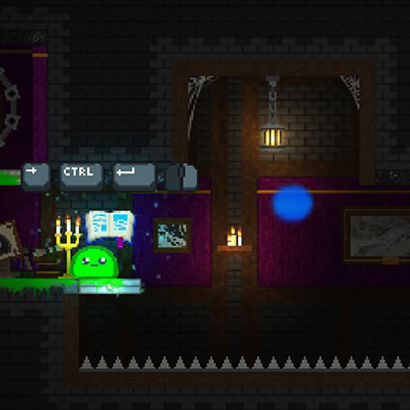
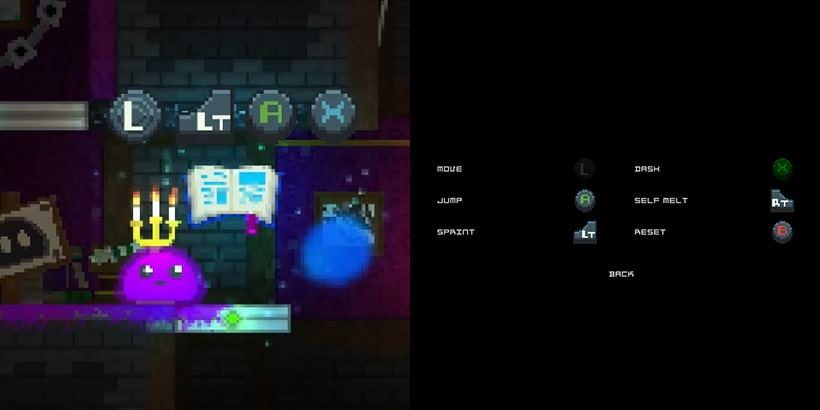
Hazards
- Spikes: Basic damage
- Saws: Follow programmed movement patterns
- Lasers: Periodic damage with visual indicators
- Cannons: Fire projectiles periodically
- Sticky surfaces: Prevent jumping
- Slippery surfaces: Provide a glide effect similar to ice
- Conveyors: Apply automatic directional movement
- Anvils: Movable if the player's size allows. Can be ridden and jumped off
Laser
public class Laser : Shooter
{

    // Amount of damage the laser deals to the protagonist
    [Range(0, 300)][SerializeField] int _damage;

    // Main laser sprite renderer
    [SerializeField] SpriteRenderer _laserSpriteRenderer;

    // Center sprite renderer for laser effects (glow, color adjustments)
    [SerializeField] SpriteRenderer _laserCenterSpriteRenderer;

    // 2D lights for laser visual effect
    [SerializeField] Light2D _laserLight;
    [SerializeField] Light2D _laserSpotLight;

    // Base transform of the laser (start position)
    [SerializeField] GameObject _laserBase;

    // Initial values for lights and laser scale
    float _laserLightIntensityStart;
    float _laserSpotLightIntensityStart;
    float _laserSpotLightSizeStart;
    float _startLaserWidth;

    // Material used for center glow effect
    Material _laserCenterMaterial;

    // Direction vector of the laser
    Direction2 _directionLaser;

    // Collider for laser hit detection
    BoxCollider2D _boxCollider;

    // Timers for pre-shoot delay and active shooting duration
    Timer _shootBeforeTimer;
    Timer _shootingTimer;

    protected override void Awake()
    {
        base.Awake();

        _boxCollider = GetComponent<BoxCollider2D>();

        GetComponent<TouchEnter>().onTouch += OnTouchEnterAddOn;

        _laserCenterMaterial = _laserCenterSpriteRenderer.material;
        _laserLightIntensityStart = _laserLight.intensity;
        _laserSpotLightIntensityStart = _laserSpotLight.intensity;

        _startLaserWidth = _laserSpriteRenderer.transform.localScale.x;
        _laserSpotLightSizeStart = _laserSpotLight.pointLightOuterRadius;
        _boxCollider.enabled = false;
    }

    protected override void Start()
    {
        base.Start();

        _shootBeforeTimer = new Timer(_setting.durationBeforeLaser);
        _shootingTimer = new Timer(_setting.durationLaser);

        ResetLaserVisuals();

        RefreshLaser();
    }

    /// <summary>
    /// Handles damage and visual effects when laser touches the protagonist.
    /// </summary>
    void OnTouchEnterAddOn(Collider2D touched)
    {
        ProtagonistActor protagonistActor = touched.transform.parent.GetComponent<ProtagonistActor>();
        protagonistActor.healthManager.Hurt(_damage, gameObject);
        if (protagonistActor.healthManager.isDead) protagonistActor.sFXManager.PlaySound("SpikeDeath");
        _sFXManager.PlaySound("LaserHit");

        // Calculate position directly under protagonist along laser
        Vector2 hitPosition = _directionLaser.vector2 * Vector2.Distance(protagonistActor.body.transform.position, _laserBase.transform.position);
        Vector2 underProtagonistPos = (Vector2)_laserBase.transform.position + hitPosition;

        // Push protagonist away from laser hit
        protagonistActor.rb2D.velocity = new Direction2((Vector2)protagonistActor.body.transform.position - underProtagonistPos).vector2 * 10;

        ParticleSystem impactFlash = protagonistActor.vFXManager.particles["ImpactFlashParticles"];
        impactFlash.transform.position = underProtagonistPos;
        impactFlash.Play();
    }

    /// <summary>
    /// Coroutine controlling laser shooting behavior with intervals and visuals.
    /// </summary>
    protected override IEnumerator ShootWInterval()
    {
        yield return null;
        _shootIntervalTimer.Restart();

        while (_isShootingWInterval)
        {
            if (_shootIntervalTimer.IsOver())
            {
                // Pre-shoot glow and sound
                _laserCenterSpriteRenderer.color = new Color(_laserCenterSpriteRenderer.color.r, _laserCenterSpriteRenderer.color.g, _laserCenterSpriteRenderer.color.b, 1);
                _shootBeforeTimer.Restart();
                _sFXManager.PlaySound("LaserStartShooting");

                _laserCenterMaterial.SetColor("_Color", new Color(1, 0, 0, 1));
                _laserCenterMaterial.SetFloat("_Contrast", 0f);
                _laserSpriteRenderer.transform.localScale = new Vector2(_startLaserWidth, _laserSpriteRenderer.transform.localScale.y);

                // Pre-shoot animation
                while (!_shootBeforeTimer.IsOver())
                {
                    float percentage = _shootBeforeTimer.PercentTime();
                    _laserSpotLight.intensity = _laserSpotLightIntensityStart * percentage * .6f;
                    _laserCenterSpriteRenderer.color = _laserCenterSpriteRenderer.color.SetAlpha(percentage * .7f + .1f);
                    RefreshLaser();
                    yield return null;
                }

                // If laser toggle was deactivated mid-pre-shoot, reset visuals
                if (_toggle.isActive)
                {
                    ResetLaserVisuals();
                    break;
                }

                _laserSpriteRenderer.color = _laserSpriteRenderer.color.SetAlpha(1);
                _laserCenterMaterial.SetColor("_Color", Color.white);
                _laserCenterMaterial.SetFloat("_Contrast", 2.5f);
                _vFXManager.particles["LaserSmokeParticles"].Play();
                _sFXManager.StopSound("LaserShooting");
                _sFXManager.PlaySound("LaserShooting");
                _boxCollider.enabled = true;

                _shootingTimer.Restart();
                Timer laserSizeChangeTimer = new(.2f);
                float laserSizeChangeInverter = 0;

                // Active shooting animation
                while (!_shootingTimer.IsOver())
                {
                    if (!laserSizeChangeTimer.IsOver())
                    {
                        float percentage = math.abs(laserSizeChangeInverter - laserSizeChangeTimer.PercentTime());
                        _laserLight.intensity = _laserLightIntensityStart * percentage * 1.2f;
                        _laserSpriteRenderer.transform.localScale = new Vector2(_startLaserWidth * percentage, _laserSpriteRenderer.transform.localScale.y);
                        _laserSpotLight.intensity = _laserLightIntensityStart * .6f + _laserLightIntensityStart * percentage * .6f;
                        _laserSpotLight.pointLightOuterRadius = _laserSpotLightSizeStart + percentage * _laserSpotLightSizeStart;
                        if (laserSizeChangeTimer.PercentTime() > .8f) _boxCollider.enabled = false;
                    }
                    else if (_shootingTimer.TimeLeft() < laserSizeChangeTimer.duration)
                    {
                        laserSizeChangeTimer.Restart();
                        laserSizeChangeInverter = 1;
                    }
                    RefreshLaser();
                    yield return null;
                }

                // Stop laser visuals and sound
                _sFXManager.StopSound("LaserShooting");
                ResetLaserVisuals();

                _shootIntervalTimer.Restart();
            }
            yield return null;
        }
    }

    /// <summary>
    /// Updates laser collider, light and sprite scale based on environment hits.
    /// </summary>
    void RefreshLaser()
    {
        _directionLaser = new(transform.rotation * Vector3.up);
        RaycastHit2D hit = Physics2D.Raycast(_laserBase.transform.position, _directionLaser.vector2, 500, (_setting.groundLayer | _setting.notGroundLayer) & ~_setting.damager);

        if (hit)
        {
            Vector2 dimensionLaser = new Vector2(_boxCollider.size.x, Vector2.Distance(hit.point, _laserBase.transform.position));
            _boxCollider.size = dimensionLaser;
            _laserSpriteRenderer.transform.localScale = new Vector2(_laserSpriteRenderer.transform.localScale.x, dimensionLaser.y + .75f);
            transform.localPosition = new Vector2(transform.localPosition.x, dimensionLaser.y * .5f);

            _laserLight.shapePath[0] = new Vector3(-.01f, 0, 0);
            _laserLight.shapePath[1] = new Vector3(-.01f, dimensionLaser.y + .75f, 0);
            _laserLight.shapePath[2] = new Vector3(.01f, dimensionLaser.y + .75f, 0);
            _laserLight.shapePath[3] = new Vector3(.01f, 0, 0);

            _vFXManager.particles["LaserSmokeParticles"].transform.position = hit.point;
            _laserSpotLight.transform.position = hit.point;
        }
    }

    /// <summary>
    /// Resets laser visuals and disables collider
    /// </summary>
    void ResetLaserVisuals()
    {
        _laserSpriteRenderer.color = _laserSpriteRenderer.color.SetAlpha(0f);
        _laserCenterSpriteRenderer.color = _laserCenterSpriteRenderer.color.SetAlpha(0f);
        _laserLight.intensity = 0f;
        _laserSpotLight.intensity = 0f;
        _boxCollider.enabled = false;
        _vFXManager.particles["LaserSmokeParticles"].Stop();
    }
}
Conveyors
public class Conveyor : MonoBehaviour
{
  // Reference to the ClassicToggle component, used to enable/disable the conveyor
  ClassicToggle _toggle;
  // Reference to the CapsuleCollider2D if present (used for round-ended conveyors)
  CapsuleCollider2D _capsuleColliders2D;
  // Reference to the BoxCollider2D if CapsuleCollider2D is not present
  BoxCollider2D _boxCollider2D;
  // Half the length of the conveyor belt (calculated from the collider size)
  float _conveyorHalfLength;
  // Flag to determine if the conveyor is oriented horizontally
  bool _isHorizontal;
  // The force magnitude and direction applied by the conveyor.
  [SerializeField] float _forceDirection;
  // Flag to indicate if the conveyor is a simple square/box type without special curved end logic
  [SerializeField] bool _squared;

  void Awake()
  {
    _toggle = GetComponent<ClassicToggle>();
    _toggle.onActivate += ActivateAddOn;

    TouchStay touchStay = GetComponent<TouchStay>();
    touchStay.onTouch += OnTouchStayAddOn;
    touchStay.onExitTouch += OnTouchExitAddOn;

    _capsuleColliders2D = GetComponent<CapsuleCollider2D>();
    if (_capsuleColliders2D)
    {
      _conveyorHalfLength = (_capsuleColliders2D.size.x - _capsuleColliders2D.size.y) * .5f;
    }
    else
    {
      _boxCollider2D = GetComponent<BoxCollider2D>();
      _conveyorHalfLength = _boxCollider2D.size.x * .5f;
    }

    // Determine if the conveyor is horizontal based on Z-rotation
    _isHorizontal = Mathf.Approximately(transform.rotation.z, 0f);
  }

  /// <summary>
  /// Called when the ClassicToggle is activated/deactivated.
  /// Disables the collider when activated, effectively turning off the conveyor's physical interaction.
  /// </summary>
  /// <param name="activate">True if the toggle is active (conveyor off), False otherwise (conveyor on).</param>
  void ActivateAddOn(bool activate)
  {
    // Disable the relevant collider if the toggle is active (conveyor is 'off')
    if (_capsuleColliders2D) _capsuleColliders2D.enabled = !activate;
    else _boxCollider2D.enabled = !activate;
  }

  /// <summary>
  /// Called when another Collider2D stays touching the conveyor.
  /// Applies force to non-protagonist Rigidbodies and controls protagonist movement.
  /// </summary>
  /// <param name="touched">The Collider2D that is touching the conveyor.</param>
  void OnTouchStayAddOn(Collider2D touched)
  {
    // If conveyor is off, do nothing
    if (_toggle.isActive) return;

    if (!GameManager.instance.setting.protagonist.IsInLayerMask(touched.gameObject.layer))
    {
      // Not protagonist
      Rigidbody2D rb2D = touched.GetComponent<Rigidbody2D>();

      // Apply a simple horizontal velocity.
      rb2D.velocity = new Vector2(-_forceDirection, rb2D.velocity.y);
    }
    else
    {
      // Protagonist
      ProtagonistActor protagonist = touched.transform.parent.GetComponent<ProtagonistActor>();

      Vector2 positionDifference = protagonist.body.transform.position - transform.position;
      Vector2 forceDirection2D = Vector2.zero;

      protagonist.frictionLess = true;
      protagonist.conveyorTouching = this;

      if (_isHorizontal)
      {
        // Horizontal conveyor
        if (!_squared && Mathf.Abs(positionDifference.x) > _conveyorHalfLength && protagonist.underPosition.y < transform.position.y + .45f)
        {
          // Logic for the rounded ends of a capsule-like conveyor (if not squared)

          positionDifference.x += _conveyorHalfLength * Mathf.Sign(positionDifference.x);

          // Calculate force perpendicular to the position difference vector (tangent to the rounded end)
          // The force is set to push the protagonist sideways around the end cap
          forceDirection2D = Vector2.Perpendicular(positionDifference).normalized * _forceDirection;
          forceDirection2D = new Vector2(forceDirection2D.x * 1.5f, forceDirection2D.y * .6f); // Apply multipliers

          if (forceDirection2D.y < 0) forceDirection2D.x = GetHorizontalCorrectDirection(positionDifference);
        }
        else
        {
          // Logic for the main, flat part of the conveyor

          forceDirection2D.x = GetHorizontalCorrectDirection(positionDifference);
        }

        // Adjust protagonist's max speed while moving to account for the conveyor's push/pull
        if (protagonist.isMoving)
        {
          if (protagonist.moveDirection.x < 0) protagonist.maxStatisticActor.maxSpeed = protagonist.startMaxStatisticActor.maxSpeed + _forceDirection * .7f;
          else protagonist.maxStatisticActor.maxSpeed = protagonist.startMaxStatisticActor.maxSpeed - _forceDirection * .7f;
        }

        // Apply velocity directly if not moving or jumping/using spell
        else if (!protagonist.isJumping && !protagonist.wand.isUsingSpell)
        {
          if (!(protagonist.rb2D.velocity.y >= .1f && forceDirection2D.y == 0))
            protagonist.rb2D.velocity = new Vector2(forceDirection2D.x, forceDirection2D.y * .5f + protagonist.rb2D.velocity.y * .5f);
        }
      }
      else
      {
        // Vertical conveyor

        if (Mathf.Abs(positionDifference.y) > _conveyorHalfLength && Math.Abs(protagonist.rb2D.velocity.y) < _forceDirection && !_squared)
        {
          // Logic for the rounded ends of a capsule-like conveyor (if not squared)

          if (positionDifference.y <= 0) positionDifference.y += _conveyorHalfLength;
          else positionDifference.y -= _conveyorHalfLength;

          // Calculate force perpendicular to the position difference vector (tangent to the rounded end)
          forceDirection2D = Vector2.Perpendicular(positionDifference).normalized * _forceDirection;
        }
        else
        {
          // Logic for the main, flat part of the conveyor

          // Simple vertical force based on X position difference (assuming a vertical conveyor)
          if (positionDifference.x <= 0) forceDirection2D = new Vector2(-2f * Mathf.Sign(_forceDirection), -_forceDirection);
          else forceDirection2D = new Vector2(-2f * Mathf.Sign(_forceDirection), _forceDirection);
        }

        // Apply velocity directly if not moving in the direction of the conveyor's side force, not jumping, not using spell and not recently hurt
        if (!(protagonist.isMoving && Mathf.Sign(protagonist.moveDirection.x) == Mathf.Sign(positionDifference.x)) && !protagonist.isJumping && !protagonist.wand.isUsingSpell && protagonist.healthManager.lastTimeHurt.IsOver())
        {
          if (!(protagonist.rb2D.velocity.y >= .1f && forceDirection2D.y == 0))
            protagonist.rb2D.velocity = new Vector2(forceDirection2D.x, forceDirection2D.y * .5f + protagonist.rb2D.velocity.y * .5f);
        }
      }
    }
  }

  /// <summary>
  /// If protagonist on the other side we invert force direction
  /// </summary>
  /// <returns>the correct force direction</returns>
  float GetHorizontalCorrectDirection(Vector2 positionDifference)
  {
    if (positionDifference.y <= 0) return _forceDirection;
    else return -_forceDirection;
  }

  /// <summary>
  /// Called when another Collider2D exits touching the conveyor.
  /// Resets protagonist's properties.
  /// </summary>
  /// <param name="exit">The Collider2D that is exiting the conveyor.</param>
  void OnTouchExitAddOn(Collider2D exit)
  {
    if (GameManager.instance.setting.protagonist.IsInLayerMask(exit.gameObject.layer))
    {
      ProtagonistActor protagonist = exit.transform.parent.GetComponent<ProtagonistActor>();

      protagonist.frictionLess = false;
      protagonist.maxStatisticActor.maxSpeed = protagonist.startMaxStatisticActor.maxSpeed;
      protagonist.conveyorTouching = null;
    }
  }
}
Sticky
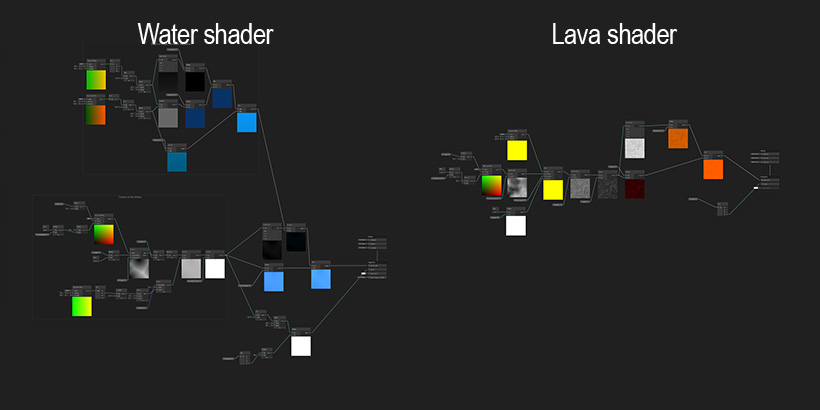
Liquids
- Wave effect
- Water
- Lava: Deals damage on contact and forces the slime to jump out
- Liquid light: Glows when submerged for a limited time
- Liquid slime: Causes the slime to grow when touching
- Mud: Deadly if the slime remains inside for too long
Different type
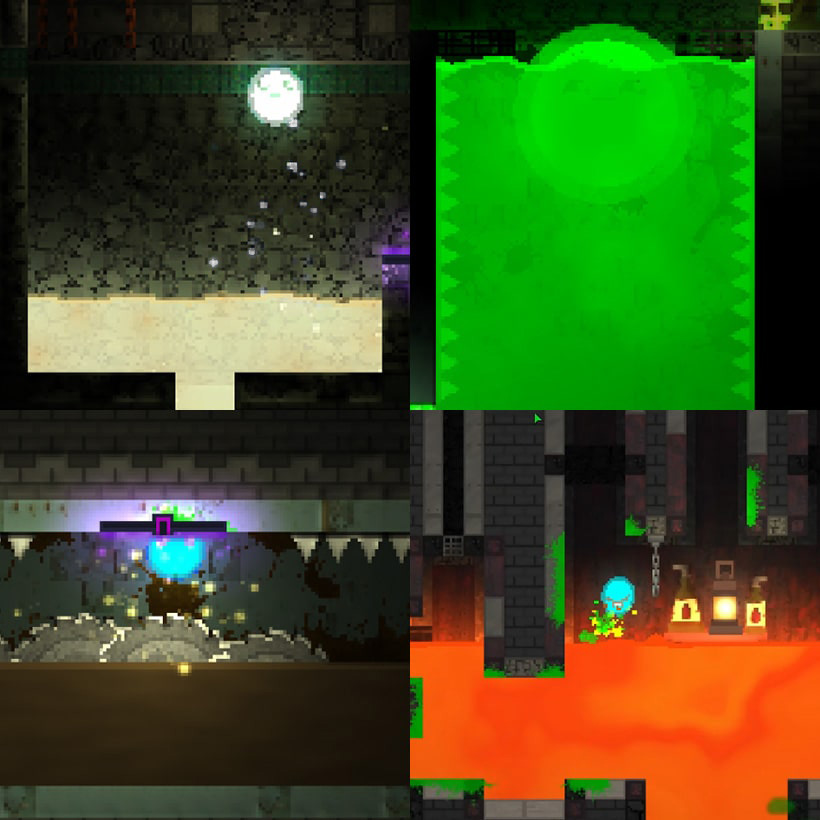
Wave effect
public class LiquidPoint
{
  // Index of this point inside the spline.
  int _index;
  public int index { get => _index; set => _index = value; }

  // Current position of the liquid point in the spline.
  Vector2 _position;
  public Vector2 position { get => _position; set => _position = value; }

  // Original height of the point before any wave deformation.
  float _initialHeight;
  public float initialHeight => _initialHeight;

  // Reference to the liquid point directly to the left (if any).
  LiquidPoint _leftLiquidPoint;
  public LiquidPoint leftLiquidPoint { get => _leftLiquidPoint; set => _leftLiquidPoint = value; }

  // Reference to the liquid point directly to the right (if any).
  LiquidPoint _rightLiquidPoint;
  public LiquidPoint rightLiquidPoint { get => _rightLiquidPoint; set => _rightLiquidPoint = value; }

  // Spline this point belongs to, used for updating visual positions.
  Spline _liquidSpline;

  // Vertical wave velocity influencing deformation.
  float _velocity = 0;
  public float velocity { get => _velocity; set => _velocity = value; }

  // Current wave height produced by sine motion.
  float _wave = 0;

  // Wave height from previous update, used to detect direction changes.
  float _oldWave = 0;

  // Current step of the sinusoidal wave animation.
  float _step = 0;
  public float step { get => _step; set => _step = value; }

  // Used to offset the sine wave phase for neighbor propagation.
  float _stepDisplacement = 0;
  public float stepDisplacement { get => _stepDisplacement; set => _stepDisplacement = value; }

  /// <summary>
  /// Creates a new liquid point using a spline index and associates it with the given spline.
  /// </summary>
  /// <param name="pointIndex">Index of the point inside the spline.</param>
  /// <param name="liquidSpline">The spline containing this point.</param>
  public LiquidPoint(int pointIndex, Spline liquidSpline)
  {
    _index = pointIndex;

    _liquidSpline = liquidSpline;

    _position = _liquidSpline.GetPosition(_index);
    _initialHeight = _position.y;
  }

  /// <summary>
  /// Updates the wave physics using a spring-based sinusoidal model.
  /// Also propagates wave energy to left and right neighbors.
  /// </summary>
  /// <param name="springSwiftness">Controls wave speed and oscillation frequency.</param>
  /// <param name="maximumExtension">Maximum allowed deformation above or below initial height.</param>
  public void WaveSpringUpdate(float springSwiftness, float maximumExtension)
  {
    // If nearly stopped, reset to initial height.
    if (Matho.IsBetween(_velocity, -.05f, .05f))
    {
      if (_step == 0) return;
      _liquidSpline.SetPosition(_index, new Vector2(_position.x, _initialHeight));
      _step = 0;
      return;
    }

    _oldWave = _wave;

    // Calculate new wave using sinusoidal animation
    _wave = Mathf.Sin(_step * Mathf.PI * springSwiftness + _stepDisplacement) * Mathf.Abs(_velocity);

    // Detect wave direction, propagate wave to neighbors
    if (Mathf.Sign(_wave) != Mathf.Sign(_oldWave) && _step != 0)
    {
      float neightboorVelocity = -_velocity * .9f;

      if (Matho.IsBetween(neightboorVelocity, -.05f, .05f)) neightboorVelocity = 0;

      PropagateWaveToNeighbor(_leftLiquidPoint, neightboorVelocity);
      PropagateWaveToNeighbor(_rightLiquidPoint, neightboorVelocity);
    }


    // Slow down wave velocity over time
    _velocity *= .9925f;

    // Clamp wave height limits
    _velocity = Mathf.Clamp(_velocity, -maximumExtension, maximumExtension);

    Vector2 newPosition = new(_position.x, _initialHeight + _wave);
    _step += .1f;

    // Update spline visually
    _liquidSpline.SetPosition(_index, newPosition);
    _position = newPosition;

    Smoothing(maximumExtension);
  }

  /// <summary>
  /// Attempts to propagate wave velocity to a neighboring LiquidPoint
  /// if its current velocity is weaker than this point's velocity.
  /// </summary>
  /// <param name="neighbor">The neighboring LiquidPoint (left or right).</param>
  /// <param name="neighborVelocity">Velocity to transfer to the neighbor.</param>
  void PropagateWaveToNeighbor(LiquidPoint neighbor, float neighborVelocity)
  {
    if (neighbor == null) return;

    if (Mathf.Abs(neighbor.velocity) < Mathf.Abs(velocity))
    {
      neighbor.velocity = neighborVelocity;
      neighbor.stepDisplacement = -1f;

      if (_step < neighbor.step)
        neighbor.step = 0;
    }
  }

  /// <summary>
  /// Adjusts tangent vectors to ensure smooth wave motion between neighboring points.
  /// Prevents sharp edges when waves propagate.
  /// </summary>
  /// <param name="maximumExtension">Maximum wave amplitude, used to determine tangent behavior.</param>
  void Smoothing(float maximumExtension)
  {
    Vector2 leftTangent = CalculateTangent(Vector2.left, _leftLiquidPoint, maximumExtension);
    Vector2 rightTangent = CalculateTangent(Vector2.right, _rightLiquidPoint, maximumExtension);

    _liquidSpline.SetLeftTangent(_index, leftTangent);
    _liquidSpline.SetRightTangent(_index, rightTangent);
  }

  /// <summary>
  /// Calculates the tangent vector for a neighboring point (left or right),
  /// based on this point's velocity, wave height, and maximum extension.
  /// Returns Vector2.zero when no tangent should be applied.
  /// </summary>
  /// <param name="direction">Direction of tangent (Vector2.left or Vector2.right).</param>
  /// <param name="neighbor">The neighbor to calculate tangent.</param>
  /// <param name="maximumExtension">Maximum allowed wave extension.</param>
  /// <returns>The calculated tangent vector.</returns>
  Vector2 CalculateTangent(Vector2 direction, LiquidPoint neighbor, float maximumExtension)
  {
    if (neighbor != null)
      return Vector2.zero;

    Vector2 tangent = direction * Mathf.Abs(velocity) * 0.6f;

    // Disable tangent if wave is too tall
    if (_wave > maximumExtension * 0.25f)
      tangent = Vector2.zero;

    return tangent;
  }
}

public class Liquid : MonoBehaviour
{
  // How fast waves move.
  [SerializeField] float _springSwiftness;
  // Maximum allowed height or depth of a wave point
  [SerializeField] float _maximumExtension;
  // Speed reduction multiplier applied to objects entering the liquid
  [SerializeField] float _speedRemoveInLiquid;
  // How much the whole liquid object moves when toggled on
  [SerializeField] float _positionDisplaceOnActivate;
  // Time taken for the liquid to move up
  [SerializeField] float _timeForLiquidGoingUp;
  // Time taken for the liquid to move down
  [SerializeField] float _timeForLiquidGoingDown;
  // Velocity reduction applied to objects when they first enter the liquid
  [SerializeField] protected float _velocityRemovedWhenEnter;
  // Maximum vertical speed when exiting the liquid without moving
  [SerializeField] protected float _velocityCapWhenNaturalExit;
  // Custom gravitational force applied while an object is inside the liquid
  [SerializeField] protected float _liquidGravity;
  // Color of splash particle effects.
  [SerializeField] Color _particleColor;

  PolygonCollider2D _polygonCollider2D;
  SpriteShapeController _spriteShapeController;
  // All liquid lines, each containing multiple wave points.
  protected LiquidPoint[][] _liquidLines;
  ClassicToggle _toggle;
  // Original position of the liquid before any animation.
  Vector2 _basePosition;
  Coroutine _animation;

  void Awake()
  {
    _basePosition = transform.position;

    if (_timeForLiquidGoingDown == 0) _timeForLiquidGoingDown = _timeForLiquidGoingUp;
  }
  protected virtual void Start()
  {
    _toggle = GetComponent<ClassicToggle>();
    _toggle.onActivate += ActivateAddOn;

    _polygonCollider2D = GetComponent<PolygonCollider2D>();
    _spriteShapeController = GetComponent<SpriteShapeController>();

    // Touch event connections, help to get more control on collision
    TouchEnter touchEnter = GetComponent<TouchEnter>();
    touchEnter.onTouch += OnTouchEnterAddOn;
    touchEnter.onExitTouch += OnTouchExitAddOn;

    Spline liquidSpline = _spriteShapeController.spline;

    List<LiquidPoint> leftCornerLiquidPoint = new List<LiquidPoint>();

    int liquidSplinePointCount = liquidSpline.GetPointCount();

    /// Build left and right liquid points
    for (int i = 0; i < liquidSplinePointCount; i++)
    {
      int leftCornerPointIndex = UnityExtension.ValidateIndex(i - 1, liquidSplinePointCount);
      int rightCornerPointIndex = UnityExtension.ValidateIndex(i + 1, liquidSplinePointCount);

      Vector2 pointPosition = liquidSpline.GetPosition(i);
      Vector2 leftCornerPointPosition = liquidSpline.GetPosition(leftCornerPointIndex);

      // Identify top edge points to expand into a wave line
      if (pointPosition.y > leftCornerPointPosition.y)
      {
        LiquidPoint liquidPoint = new LiquidPoint(i, liquidSpline);
        liquidPoint.rightLiquidPoint = new LiquidPoint(rightCornerPointIndex, liquidSpline);
        leftCornerLiquidPoint.Add(liquidPoint);
      }
    }

    int indexOffSet = 0;

    // Construct wave lines based on detected top corners
    _liquidLines = new LiquidPoint[leftCornerLiquidPoint.Count][];

    for (int i = 0; i < leftCornerLiquidPoint.Count; i++)
    {
      int leftCornerPointIndex = leftCornerLiquidPoint[i].index + indexOffSet;
      int rightCornerPointIndex = leftCornerLiquidPoint[i].rightLiquidPoint.index + indexOffSet;

      Vector2 leftCornerPointPosition = leftCornerLiquidPoint[i].position;
      Vector2 rightCornerPointPosition = leftCornerLiquidPoint[i].rightLiquidPoint.position;

      int lineLength = Mathf.RoundToInt(Mathf.Abs(leftCornerPointPosition.x - rightCornerPointPosition.x) + 1);

      LiquidPoint[] liquidPoints = new LiquidPoint[lineLength];

      // Add intermediate spline points between left and right corners
      indexOffSet += lineLength - 2;

      for (int ii = 0; ii < lineLength - 2; ii++)
      {
        liquidSpline.InsertPointAt(rightCornerPointIndex, new Vector3(rightCornerPointPosition.x - ii - 1, rightCornerPointPosition.y, 0));
      }

      liquidSplinePointCount = liquidSpline.GetPointCount();

      int pointIndex;

      // Initialize wave points
      for (int ii = 0; ii < lineLength; ii++)
      {
        pointIndex = UnityExtension.ValidateIndex(leftCornerPointIndex + ii, liquidSplinePointCount);
        liquidPoints[ii] = new LiquidPoint(pointIndex, liquidSpline);
      }

      // Link neighbors for wave simulation
      for (int ii = 0; ii < lineLength; ii++)
      {
        if (ii > 0) liquidPoints[ii].leftLiquidPoint = liquidPoints[ii - 1];
        if (ii < lineLength - 1) liquidPoints[ii].rightLiquidPoint = liquidPoints[ii + 1];
      }

      _liquidLines[i] = liquidPoints;
    }

    // Set tangent mode and height for all spline points
    for (int i = 0; i < liquidSpline.GetPointCount(); i++)
    {
      liquidSpline.SetTangentMode(i, ShapeTangentMode.Continuous);
      liquidSpline.SetHeight(i, .5f);
    }
  }

  /// <summary>
  /// Updates wave physics simulation every physics frame.
  /// </summary>
  void FixedUpdate()
  {
    for (int i = 0; i < _liquidLines.Length; i++)
    {
      for (int ii = 0; ii < _liquidLines[i].Length; ii++)
      {
        _liquidLines[i][ii].WaveSpringUpdate(_springSwiftness, _maximumExtension);
      }
    }
  }

  /// <summary>
  /// Moves the liquid up or down depending on toggle state.
  /// </summary>
  /// <param name="activate">Whether to raise or lower the liquid.</param>
  protected void ActivateAddOn(bool activate)
  {
    // Instant movement on scene start
    if (Time.timeSinceLevelLoad == 0)
    {
      if (activate) transform.position = _basePosition + Vector2.up * _positionDisplaceOnActivate;
      else transform.position = _basePosition;
    }
    else
    {
      // Animated movement if not on scene start
      if (_animation != null) StopCoroutine(_animation);
      if (activate)
        _animation = StartCoroutine(AnimationLibrary.AnimationTranslate(transform.position, new Vector2(transform.position.x, transform.position.y + _positionDisplaceOnActivate), new Timer(_timeForLiquidGoingUp), transform));
      else
        _animation = StartCoroutine(AnimationLibrary.AnimationTranslate(transform.position, new Vector2(transform.position.x, transform.position.y - _positionDisplaceOnActivate), new Timer(_timeForLiquidGoingDown), transform));
    }
  }

  /// <summary>
  /// Handles splash, slowdown, gravity adjustment and wave creation when an object enters the liquid.
  /// </summary>
  /// <param name="touched">The collider entering the liquid.</param>
  protected virtual void OnTouchEnterAddOn(Collider2D touched)
  {
    Rigidbody2D rb2D;

    // Protagonist enter
    if (GameManager.instance.setting.protagonist.IsInLayerMask(touched.gameObject.layer))
    {
      ProtagonistActor protagonist = touched.transform.parent.GetComponent<ProtagonistActor>();
      rb2D = protagonist.rb2D;

      // Ignore if already inside
      if (protagonist.isInLiquid) return;

      // Apply liquid effects
      protagonist.speedRemoveInLiquid = _speedRemoveInLiquid;
      protagonist.isInLiquid = true;
      protagonist.liquidGravity = _liquidGravity;
      protagonist.protagonistAnimator.Move();

      // Trigger splash or gentle floating sound
      if (protagonist.rb2D.velocity.y > 5 || protagonist.rb2D.velocity.magnitude > 14)
      {
        protagonist.sFXManager.PlaySound("Enter Water");
        TriggerSplashParticles(protagonist.vFXManager, 80 * Mathf.Atan(.1f * Mathf.Abs(rb2D.velocity.y) - 3) + 110);
      }
      else protagonist.sFXManager.PlaySound("Floating Water");

      // Slowdown on entry only if he is not using a spell
      if (!protagonist.wand.isUsingSpell)
      {
        RemoveVelocityWhenEnter(rb2D);
      }
    }

    // Decoration enter
    else if (GameManager.instance.setting.decoration.IsInLayerMask(touched.gameObject.layer))
    {
      Decoration decoration = touched.GetComponent<Decoration>();
      decoration.isInLiquid = true;
      decoration.liquidGravity = _liquidGravity;
      rb2D = decoration.rb2D;

      decoration.EnterLiquid();

      TriggerSplashParticles(decoration.vFXManager, 60 * Mathf.Atan(.1f * Mathf.Abs(rb2D.velocity.y) - 3) + 80);

      RemoveVelocityWhenEnter(rb2D);
    }

    // Heavy object enter
    else
    {
      Heavy heavy = touched.GetComponent<Heavy>();
      heavy.isInLiquid = true;
      heavy.liquidGravity = _liquidGravity;
      rb2D = heavy.rb2D;

      heavy.EnterLiquid();

      TriggerSplashParticles(heavy.vFXManager, 60 * Mathf.Atan(.1f * Mathf.Abs(rb2D.velocity.y) - 3) + 80);

      RemoveVelocityWhenEnter(rb2D);
    }

    CreateWave(touched.transform.position, rb2D.velocity.y);
  }

  /// <summary>
  /// Handles exit effects such as splash, speed adjustment and wave creation
  /// </summary>
  /// <param name="touched">Object exiting the liquid.</param>
  protected virtual void OnTouchExitAddOn(Collider2D touched)
  {
    Rigidbody2D rb2D;
    if (GameManager.instance.setting.protagonist.IsInLayerMask(touched.gameObject.layer))
    {
      ProtagonistActor protagonist = touched.transform.parent.GetComponent<ProtagonistActor>();
      rb2D = protagonist.rb2D;

      // Make sure the exit is real (not still inside bounds)
      if (_polygonCollider2D.bounds.Contains(protagonist.body.transform.position)) return;

      protagonist.isInLiquid = false;
      protagonist.protagonistAnimator.VelocityAnimation();

      // Splash effect based on exit speed
      if (protagonist.rb2D.velocity.y > 5 || protagonist.rb2D.velocity.magnitude > 14)
      {
        protagonist.sFXManager.PlaySound("Exit Water");

        TriggerSplashParticles(protagonist.vFXManager, 60 * Mathf.Atan(.1f * Mathf.Abs(rb2D.velocity.y) - 3) + 80);
      }

      // Natural exit velocity cap so it doesn't jump around on the surface and stay close to still
      if (!protagonist.isJumping && !protagonist.wand.isUsingSpell && protagonist.rb2D.velocity.y < 8)
      {
        rb2D.velocity = new Vector2(rb2D.velocity.x, Matho.Clamp(rb2D.velocity.y, 0, _velocityCapWhenNaturalExit));
      }
    }
    else if (GameManager.instance.setting.decoration.IsInLayerMask(touched.gameObject.layer))
    {
      Decoration decoration = touched.GetComponent<Decoration>();
      decoration.isInLiquid = false;
      rb2D = decoration.rb2D;
      decoration.ExitLiquid();

      TriggerSplashParticles(decoration.vFXManager, 60 * Mathf.Atan(.1f * Mathf.Abs(rb2D.velocity.y) - 3) + 80);
    }
    else
    {
      rb2D = touched.GetComponent<Rigidbody2D>();
    }

    // Wave and upward push to make it look prettier
    CreateWave(touched.transform.position, rb2D.velocity.y);
    rb2D.velocity = new Vector2(rb2D.velocity.x, rb2D.velocity.y + 4f);
  }

  /// <summary>
  /// Creates a vertical wave disturbance near the given world position.
  /// </summary>
  /// <param name="position">Position where the disturbance occurs.</param>
  /// <param name="speed">Speed of the entering/exiting object.</param>
  protected void CreateWave(Vector2 position, float speed)
  {
    for (int i = 0; i < _liquidLines.Length; i++)
    {
      for (int ii = 0; ii < _liquidLines[i].Length; ii++)
      {
        if (Mathf.Abs(transform.position.x + _liquidLines[i][ii].position.x - position.x) < .6f)
        {
          _liquidLines[i][ii].velocity += speed * .03f;
        }
      }
    }
  }

  /// <summary>
  /// Applies splash particle colors and emission rate.
  /// </summary>
  /// <param name="vfxManager">The VFX manager containing particles.</param>
  /// <param name="velocity">Vertical speed influencing splash intensity.</param>
  void TriggerSplashParticles(VFXManager vfxManager, float rateOverTime)
  {
    if (vfxManager == null) return;

    ParticleSystem waterSplash = vfxManager.particles["WaterSplashParticles"];

    foreach (ParticleSystem particleChild in waterSplash.GetComponentsInChildren<ParticleSystem>())
    {
      ParticleSystem.MainModule main = particleChild.main;
      main.startColor = _particleColor;

      ParticleSystem.EmissionModule emission = particleChild.emission;
      emission.rateOverTime = rateOverTime;
    }

    vfxManager.StartParticle(waterSplash);
  }

  /// <summary>
  /// Reduces the velocity of an object when it enters the liquid,
  /// applying different multipliers to the horizontal and vertical components.
  /// </summary>
  /// <param name="rb2D">The Rigidbody2D of the object entering the liquid.</param>
  void RemoveVelocityWhenEnter(Rigidbody2D rb2D)
  {
    rb2D.velocity = new Vector2(
        rb2D.velocity.x * (_velocityRemovedWhenEnter - .1f),
        rb2D.velocity.y * (_velocityRemovedWhenEnter + .1f)
    );
  }
}
Tools
- Toggle tools to link every toggleable element
- Touch tools for improved collision control
- Use of Unity Tilemap
- Use of Autotiling to facilitate placement
- Automasker for level splatters
- Use of sprite atlas for better performance
- Custom SFX tool
- Save and load system
- Use of the profiler to optimize the game
- Easy modification of values for interactable objects
- Use of Cinemachine for a smooth, confined camera
- Use of Unity's latest Input System package
Toggle
public class ClassicToggle : MonoBehaviour
{
  // Does the object is active?
  protected bool _isActive = false;
  public bool isActive => _isActive;
  // Does the object was active?
  protected bool _wasActive;
  public bool wasActive => _wasActive;
  public event Action<bool> onActivate;
  // Invert the active/deactivate
  [SerializeField] protected bool _inverted;
  public bool inverted => _inverted;
  // Object to activate when this one is activated
  [SerializeField] protected ClassicToggle[] _interractablesAffected;
  // Gem inital light intensity
  protected float _initialGemLightIntensity;
  public float initialGemLightIntensity => _initialGemLightIntensity;
  // The color assigned to the gem and its light.
  protected Color _gemColor;
  public Color gemColor => _gemColor;
  // The SpriteRenderer component for the visual gem element.
  [SerializeField] protected SpriteRenderer _gem;
  public SpriteRenderer gem => _gem;
  // The Light2D component associated with the gem for visual effects.
  protected Light2D _gemLight;
  public Light2D gemLight => _gemLight;

  protected virtual void Awake()
  {
    if (_gem != null) _gemLight = _gem.GetComponentInChildren<Light2D>();
  }
  protected virtual void Start()
  {
    Activate(false);

    Color gemColor = Color.black;

    if (_interractablesAffected.Length > 0)
    {
      // Check if there is a _interractablesAffected that doesn't have a default color
      foreach (ClassicToggle interractableAffected in _interractablesAffected)
      {
        if (interractableAffected.gem == null) continue;
        if (interractableAffected.gem.color != Color.black)
        {
          gemColor = interractableAffected.gem.color;
          break;
        }
      }

      // If there is no color set by other toggle we get a new one and set ourself to this color
      if (gemColor == Color.black)
      {
        gemColor = GameManager.instance.colorOfGems[UnityEngine.Random.Range(0, GameManager.instance.colorOfGems.Count)];
        GameManager.instance.colorOfGems.Remove(gemColor);
      }

      _gem.color = gemColor;
      _gemLight.color = gemColor;

      // We change the gem color of all the _interractablesAffected
      foreach (ClassicToggle interractableAffected in _interractablesAffected)
      {
        if (interractableAffected.gem == null) continue;
        interractableAffected.gem.gameObject.SetActive(true);
        interractableAffected.gem.color = gemColor;
        interractableAffected.gem.GetComponentInChildren<Light2D>().color = gemColor;
      }
    }
    else if (_gem != null)
    {
      if (_gem.color == Color.black) _gem.gameObject.SetActive(false);
    }
  }

  /// <summary>
  /// Sets the active state of the toggle, applying inversion, animations, and chaining effects.
  /// </summary>
  /// <param name="activate">The desired active state (true for on, false for off).</param>
  public virtual void Activate(bool activate)
  {
    if (_inverted) activate = !activate;
    if (_isActive == activate) return;

    if (_gem != null)
    {
      if (_inverted)
      {
        if (!activate)
        {
          AnimateDeactivationVisuals();
        }
      }
      else if (activate)
      {
        AnimateDeactivationVisuals();
      }
    }

    _isActive = activate;
    OnActivateInvoke(_isActive);
    ActivateInterractablesAffected(_isActive);
    _wasActive = isActive;
  }

  /// <summary>
  /// Starts the visual animation routines for 'deactivating' the gem
  /// This function centralizes the animation calls.
  /// </summary>
  protected void AnimateDeactivationVisuals()
  {
    Color gemColor = _gem.color;
    float initialGemLightIntensity = _gemLight.intensity;

    StartCoroutine(AnimationLibrary.AnimationIntensityLight(_gemLight.intensity, initialGemLightIntensity * 0, .1f, _gemLight));
    StartCoroutine(AnimationLibrary.AnimationChangeColor(gemColor, new Color(.25f, .25f, .25f), .1f, _gem));
  }

  /// <summary>
  /// Safely invokes the onActivate event with the new state.
  /// </summary>
  /// <param name="isActive">The current active state.</param>
  protected void OnActivateInvoke(bool isActive)
  {
    onActivate?.Invoke(isActive);
  }

  /// <summary>
  /// Calls the Activate method on all associated toggles in the _interractablesAffected array.
  /// </summary>
  /// <param name="activate">The activation state to pass to the affected toggles.</param>
  public void ActivateInterractablesAffected(bool activate)
  {
    if (_interractablesAffected.Length == 0) return;
    foreach (ClassicToggle interractableAffected in _interractablesAffected) interractableAffected.Activate(activate);
  }
}

public class TimedToggle : ClassicToggle
{
  // The duration (in seconds) that the toggle will remain active after activation.
  [Range(.3f, 100f)]
  [SerializeField] float _stayActivatedTime;
  // Timer instance used to track the remaining active time.
  Timer _activateTimer;
  public Timer activateTimer { get => _activateTimer; }
  // Coroutine reference for the flashing sequence that runs when the slime is on it
  Coroutine _flashGemWait = null;
  // Coroutine reference for the flashing sequence that runs during the main cooldown
  Coroutine _flashGemCooldownLeft = null;
  // Reference to the SFXManager to play sound effects associated with the timer.
  SFXManager _sFXManager;

  protected override void Awake()
  {
    _activateTimer = new Timer(_stayActivatedTime);
    _sFXManager = GetComponent<SFXManager>();
    base.Awake();
  }
  protected override void Start()
  {
    base.Start();
    if (_gem != null)
    {
      _initialGemLightIntensity = _gemLight.intensity;
      _gemColor = _gem.color;
    }
  }
  /// <summary>
  /// Overrides the base Activate method to handle timer restart and visual feedback.
  /// </summary>
  /// <param name="activate">The desired activation state.</param>
  public override void Activate(bool activate)
  {
    if (activate)
    {
      // If activating and the toggle wasn't previously active (to prevent starting the flash animation mid-cycle),
      // start the main FlashGem coroutine.
      if (!_wasActive && _gem != null) StartCoroutine(FlashGem());
      _activateTimer.Restart();
    }
    base.Activate(activate);
  }

  /// <summary>
  /// Main coroutine that monitors the timer and switches between the two flashing routines.
  /// </summary>
  IEnumerator FlashGem()
  {
    yield return null;

    while (_isActive)
    {
      // Check if the time passed is short (the slime is still on the pressure plate)
      if (_activateTimer.TimePass() <= 0.2f)
      {
        if (_flashGemWait == null) _flashGemWait = StartCoroutine(FlashGemWait());
      }
      else if (_flashGemCooldownLeft == null) _flashGemCooldownLeft = StartCoroutine(FlashGemCooldownLeft());

      yield return null;
    }
  }

  /// <summary>
  /// Flashing when the slime is standing on the pressure plate
  /// </summary>
  IEnumerator FlashGemWait()
  {
    bool activate = false;
    while (_isActive)
    {
      SFX sFX = _sFXManager.sFXs["GemFlash"];
      sFX.audioSource.pitch = Mathf.Abs(1 - _activateTimer.PercentTime()) + .5f;
      _sFXManager.PlaySound(sFX);

      // If the other coroutine is running cancel it
      if (_flashGemCooldownLeft != null)
      {
        StopCoroutine(_flashGemCooldownLeft);
        _flashGemCooldownLeft = null;
      }

      ChangeAllGem(activate, .1f);
      yield return new WaitForSeconds(.1f);

      activate = !activate;
    }
  }
  /// <summary>
  /// Flashing coroutine for the main cooldown period. The flash speed and duration
  /// dynamically adjust based on the percentage of time remaining.
  /// </summary>
  IEnumerator FlashGemCooldownLeft()
  {
    float timeAnimation;
    float timeAnimationOn;
    float timeAnimationOff;

    float timeLeft = _activateTimer.TimeLeft();
    float timeAddedUp = _activateTimer.TimePass();

    while (_isActive)
    {
      yield return null;
      SFX sFX = _sFXManager.sFXs["GemFlash"];
      sFX.audioSource.pitch = Mathf.Abs(1 - _activateTimer.PercentTime()) + .5f;
      _sFXManager.PlaySound(sFX);

      // If the other coroutine is running cancel it
      if (_flashGemWait != null)
      {
        StopCoroutine(_flashGemWait);
        _flashGemWait = null;
      }

      // Calculate base animation durations, scaled by the time percentage remaining.
      timeAnimationOff = Mathf.Abs(_activateTimer.PercentTime()) * _activateTimer.duration * .25f;
      timeAnimationOn = Mathf.Abs(_activateTimer.PercentTime(timeAnimationOff)) * _activateTimer.duration * .25f;
      timeAnimation = timeAnimationOff + timeAnimationOn;

      // If the calculated animation time plus a buffer (0.15f) exceeds the time left,
      // recalculate the animation timings to finish exactly when the timer runs out.
      if (timeAddedUp + timeAnimation + _activateTimer.duration * .15f > timeLeft)
      {
        timeAnimation = timeLeft - timeAddedUp;
        timeAnimationOff = timeAnimation * .4f;
        timeAnimationOn = timeAnimation * .6f;
      }

      timeAddedUp += timeAnimation;

      if (timeAnimation > 0)
      {
        // Animate flash off
        ChangeAllGem(false, timeAnimationOff);

        yield return new WaitForSeconds(timeAnimationOff);
      }

      if (timeAnimation > 0)
      {
        // Animate flash on
        ChangeAllGem(true, timeAnimationOn);

        yield return new WaitForSeconds(timeAnimationOn);
      }
    }
  }

  /// <summary>
  /// Applies gem flash changes to this gem and all linked interactables.
  /// </summary>
  void ChangeAllGem(bool active, float duration)
  {
    // Update main gem
    ChangeGem(active, duration, _gem, _gemLight);
    if (_interractablesAffected.Length != 0)
    {
      // Affect all of the _interractablesAffected as well
      foreach (ClassicToggle interractableAffected in _interractablesAffected)
      {
        if (interractableAffected.gem != null)
        {
          ChangeGem(active, duration, interractableAffected.gem, interractableAffected.gemLight);
        }
      }
    }
  }

  /// <summary>
  /// Animates gem color and light intensity based on flash state.
  /// </summary>
  void ChangeGem(bool active, float duration, SpriteRenderer gem, Light2D gemLight)
  {
    if (active)
    {
      // Animate intensifying light and returning to original color
      StartCoroutine(AnimationLibrary.AnimationIntensityLight(_gemLight.intensity, _initialGemLightIntensity, duration, gemLight));
      StartCoroutine(AnimationLibrary.AnimationChangeColor(new Color(.25f, .25f, .25f), _gemColor, duration, gem));
    }
    else
    {
      // Animate dimming light and darkening gem
      StartCoroutine(AnimationLibrary.AnimationIntensityLight(_gemLight.intensity, _initialGemLightIntensity * 0, duration, gemLight));
      StartCoroutine(AnimationLibrary.AnimationChangeColor(_gemColor, new Color(.25f, .25f, .25f), duration, gem));
    }
  }

  /// <summary>
  /// Checks the timer to ensure deactivation.
  /// </summary>
  void FixedUpdate()
  {
    if (_isActive) if (_activateTimer.IsOver()) Activate(false);
  }
}
Touch
public abstract class Touch : MonoBehaviour
{
  // Event invoked when a relevant Collider2D enters or stays within the trigger area.
  public event Action<Collider2D> onTouch;
  // Event invoked when a relevant Collider2D exits the trigger area.
  public event Action<Collider2D> onExitTouch;
  // Specifies which Unity physics layers are allowed to trigger the onTouch event.
  [SerializeField] protected LayerMask _layerMaskToTouch;
  // Specifies which Unity physics layers should be explicitly ignored by the trigger logic.
  [SerializeField] protected LayerMask _layerMaskToIgnore;
  // A Timer to enforce a minimum time interval between successful touch events.
  [SerializeField] protected Timer _timerBetweenTouch = new Timer(.1f);
  protected void OnTouchInvoke(Collider2D touched)
  {
    onTouch?.Invoke(touched);
  }
  protected void OnExitTouchInvoke(Collider2D touched)
  {
    onExitTouch?.Invoke(touched);
  }

  /// <summary>
  /// Handles the physics collision/trigger exit event.
  /// Filters exits based on LayerMasks and invokes the exit event.
  /// </summary>
  /// <param name="touched">The Collider2D that exited the trigger.</param>
  protected void OnTouchExit2D(Collider2D touched)
  {
    if (_layerMaskToIgnore.IsInLayerMask(touched.gameObject.layer) || !_layerMaskToTouch.IsInLayerMask(touched.gameObject.layer)) return;

    OnExitTouchInvoke(touched);
  }
  /// <summary>
  /// If the object is in the object to ignore then we ignore collision in the future
  /// </summary>
  /// <param name="touched"> The Collider2D that entered the trigger.</param>
  /// <returns>if we can or not touch</returns>
  protected bool CanTouch(Collider2D touched)
  {
    if (_layerMaskToIgnore.IsInLayerMask(touched.gameObject.layer))
    {
      Physics2D.IgnoreCollision(touched.gameObject.GetComponent<Collider2D>(), GetComponent<Collider2D>());
      return false;
    }
    else if (!_layerMaskToTouch.IsInLayerMask(touched.gameObject.layer)) return false;

    return true;
  }
}

public abstract class TouchEnter : Touch
{
  // Stores the last GameObject that successfully triggered a touch event. Used for the cooldown/debounce logic.
  GameObject _lastTouched;
  // the number of time this object can be touch before getting deactivate
  [Range(0, 10)] [SerializeField] int _numberTouchBeforeDeactivate;
  // the number of time this object can be touch before getting deactivate at start
  int _numberTouchBeforeDeactivateStart;
  void Awake()
  {
    _numberTouchBeforeDeactivateStart = _numberTouchBeforeDeactivate;
  }

  /// <summary>
  /// Handles the physics collision/trigger event
  /// Filters collisions based on LayerMasks, applies cooldown and processes the touch limit.
  /// </summary>
  /// <param name="touched">The Collider2D that entered the trigger.</param>
  protected void OnTouchEnter2D(Collider2D touched)
  {
    if (!CanTouch(touched)) return;

    if (_timerBetweenTouch.IsOverLoop()) _lastTouched = null;

    // If the same hit in a row we ignore
    if (_lastTouched == touched.gameObject) return;
    _lastTouched = touched.gameObject;

    OnTouchInvoke(touched);

    if (_numberTouchBeforeDeactivate != 0)
    {
      _numberTouchBeforeDeactivate--;
      if (_numberTouchBeforeDeactivate == 0)
      {
        // Add back the amount of touch before deactivate in case we want to reuse the object
        _numberTouchBeforeDeactivate = _numberTouchBeforeDeactivateStart;
        gameObject.SetActive(false);
      }
    }
  }
}

public abstract class TouchStay : Touch
{
  /// <summary>
  /// Handles the continuous physics collision/trigger event
  /// Filters the collision based on LayerMasks and enforces a cooldown period.
  /// </summary>
  /// <param name="touched">The Collider2D that is staying within the trigger.</param>
  protected void OnTouchStay2D(Collider2D touched)
  {
    if (!CanTouch(touched)) return;

    if (!_timerBetweenTouch.IsOverLoop()) return;

    OnTouchInvoke(touched);
  }
}

public class TouchCollisionEnter : TouchEnter
{
  void OnCollisionEnter2D(Collision2D touched)
  {
    OnTouchEnter2D(touched.collider);
  }
  void OnCollisionExit2D(Collision2D exit)
  {
    OnTouchExit2D(exit.collider);
  }
}

public class TouchCollisionStay : TouchStay
{
  void OnCollisionStay2D(Collision2D touched)
  {
    OnTouchStay2D(touched.collider);
  }
  void OnCollisionExit2D(Collision2D exit)
  {
    OnTouchExit2D(exit.collider);
  }
}

public class TouchTriggerEnter : TouchEnter
{
  void OnTriggerEnter2D(Collider2D touched)
  {
    OnTouchEnter2D(touched);
  }
  void OnTriggerExit2D(Collider2D exit)
  {
    OnTouchExit2D(exit);
  }
}

public class TouchTriggerStay : TouchStay
{
  void OnTriggerStay2D(Collider2D touched)
  {
    OnTouchStay2D(touched);
  }
  void OnTriggerExit2D(Collider2D exit)
  {
    OnTouchExit2D(exit);
  }
}
Save and load
[...]

/// <summary>
/// Save progress of the game
/// </summary>
/// <param name="levelManager">The level manager to use for saving.</param>
public static void SaveProgress(LevelManager levelManager)
{
  LevelData data = new LevelData(GameManager.instance.protagonistColor,
                                levelManager.dyeCollected,
                                levelManager.level,
                                levelManager.floor,
                                levelManager.highestFloor,
                                levelManager.nextFloorUnlocked,
                                levelManager.levelAnimationPlayed);

  Save(data);
}

/// <summary>
/// Reset the game progress
/// </summary>
/// <param name="levelManager">The level manager to use for reseting progress.</param>
public static void ResetProgress(LevelManager levelManager)
{
  LevelData data = new LevelData(levelManager.basicSlimeColor,
                                new bool[levelManager.dyeAmount]);

  Save(data);
}

/// <summary>
/// Save a level data inside the computer
/// </summary>
/// <param name="data">The level data to save.</param>
public static void Save(LevelData data)
{
  BinaryFormatter formatter = new BinaryFormatter();
  string path = Application.persistentDataPath + "/level.tmw";
  // Open the file to start saving the data
  FileStream stream = new FileStream(path, FileMode.Create);

  formatter.Serialize(stream, data);
  stream.Close();
}

/// <summary>
/// Load the progress saved inside the computer, if it doesn't exist make a new save.
/// </summary>
/// <param name="levelManager">The level manager to use in case there is no data.</param>
/// <returns>The level data saved</returns>
public static LevelData LoadProgress(LevelManager levelManager)
{
  string path = Application.persistentDataPath + "/level.tmw";
  if (File.Exists(path))
  {
    BinaryFormatter formatter = new BinaryFormatter();
    // Open the file to start saving the data
    FileStream stream = new FileStream(path, FileMode.Open);

    // Get the info and make it a usable level data
    LevelData data = formatter.Deserialize(stream) as LevelData;
    stream.Close();

    return data;
  }
  // Nothing found, we create a new save
  else return new LevelData(levelManager.basicSlimeColor, new bool[levelManager.dyeAmount]);
}

[System.Serializable]
public class LevelData
{
  int _level; // The level the player left the game
  public int level { get => _level; }
  int _floor; // The floor the player left the game
  public int floor { get => _floor; }
  int _highestFloor; // The highest floor the player achieved
  public int highestFloor { get => _highestFloor; }
  bool _nextFloorUnlocked; // Did the animation for the next floor have been played
  public bool nextFloorUnlocked { get => _nextFloorUnlocked; }
  // At which level the player have seen animation so we don't play it twice
  int _levelAnimationPlayed;
  public int levelAnimationPlayed { get => _levelAnimationPlayed; }
  // Which dye have been collected
  bool[] _dyeCollected;
  public bool[] dyeCollected { get => _dyeCollected; }
  // Saving the dye RGB of the current color the player is wearing
  float _dyeRed;
  public float dyeRed { get => _dyeRed; }
  float _dyeGreen;
  public float dyeGreen { get => _dyeGreen; }
  float _dyeBlue;
  public float dyeBlue { get => _dyeBlue; }

  public LevelData(Color dyeColor,
                  bool[] dyeCollected,
                  int level = -1,
                  int floor = -1,
                  int highestFloor = 0,
                  bool nextFloorUnlocked = false,
                  int levelAnimationPlayed = 0)
  {
    _level = level;
    _floor = floor;
    _highestFloor = highestFloor;
    _nextFloorUnlocked = nextFloorUnlocked;
    _levelAnimationPlayed = levelAnimationPlayed;
    _dyeRed = dyeColor.r;
    _dyeGreen = dyeColor.g;
    _dyeBlue = dyeColor.b;
    _dyeCollected = dyeCollected;
    // Make sure the player always have the basic color unlocked
    _dyeCollected[0] = true;
  }
}
Level mask
Polish
- Particle effects
- Programmatic animation
- Visual feedback
- NPC animations for cutscenes
- Scene transitions
- Bug fixing
- End of level and epic achievement animations
- Builds for all platforms
- Splatters on walls and objects
- Steam achievements
- Title screen animation
- Decorative interactable elements
- Large level selector
- Different colors for the slime
- Flashing indicators for timers and sound cues
- Settings with all essential options
- Sound effects
- Random pitch and fade-in/fade-out for sounds
- Music that changes based on levels and blends seamlessly
- Custom cursor
Settings
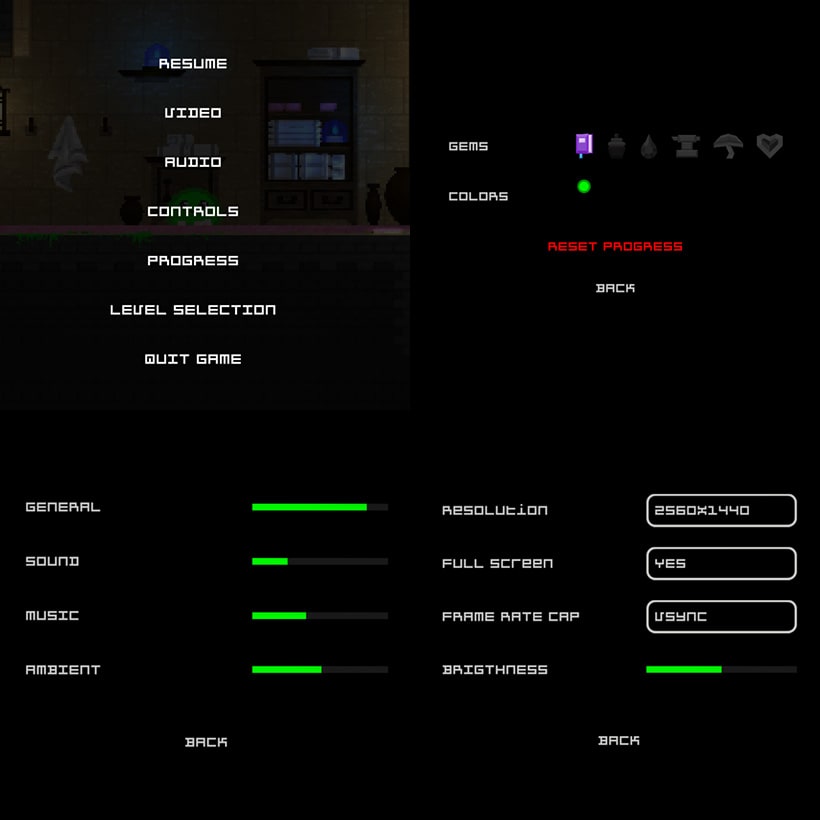
Transition
Dye
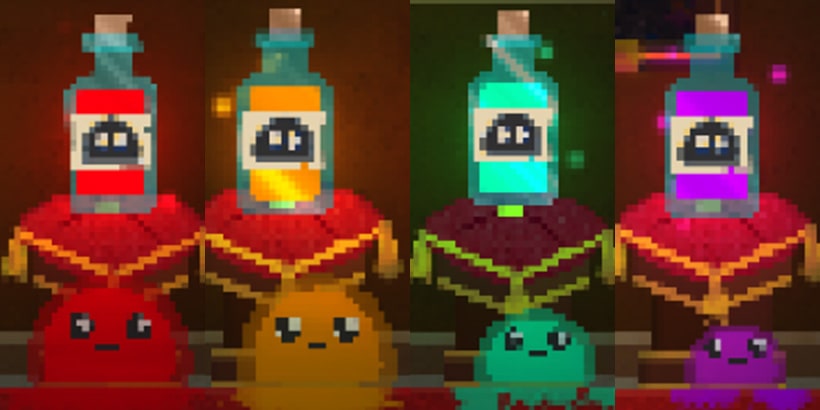
Level selection
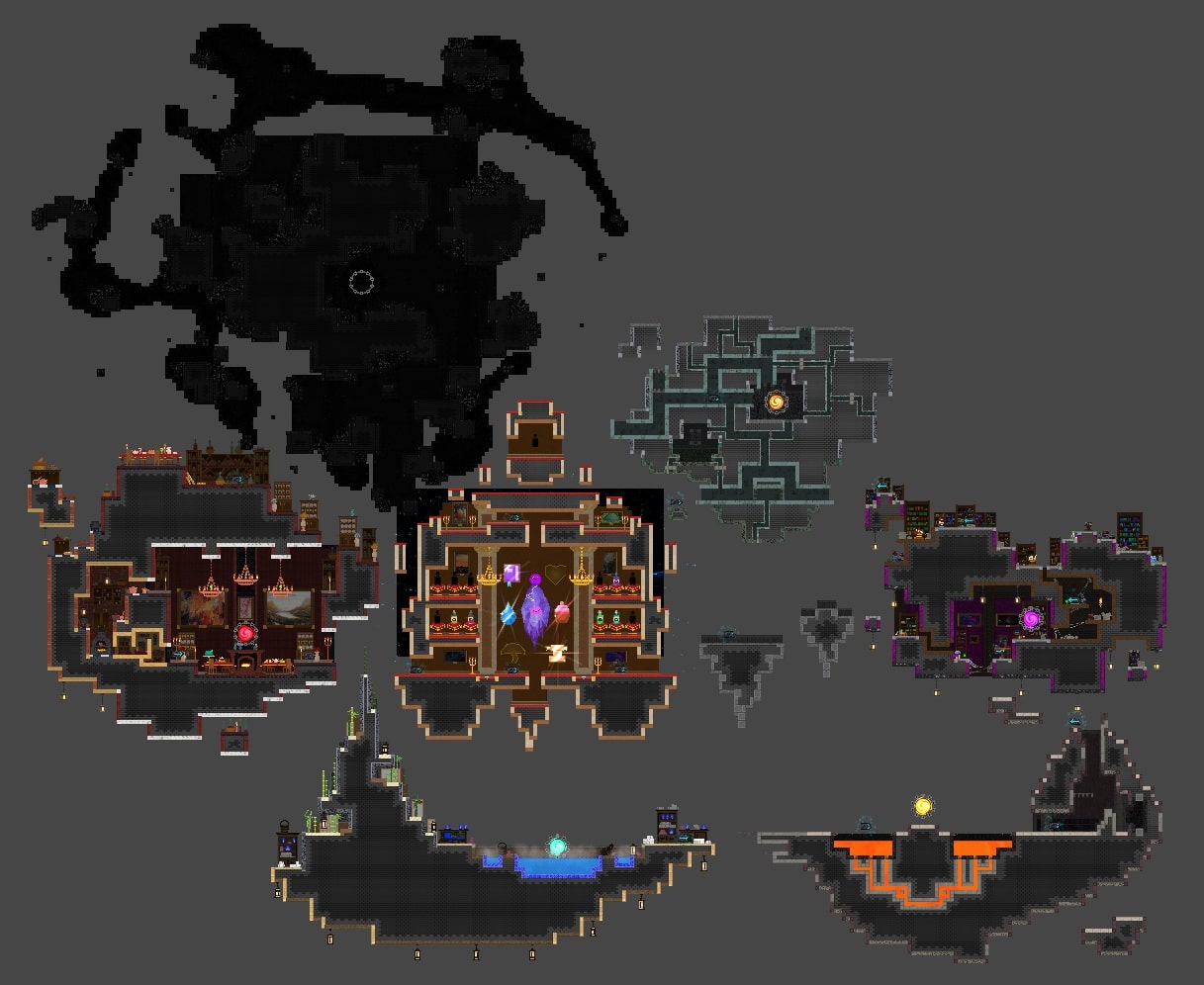
THE SIGNAL: Stranded on Sirenis
A survival crafting extraction shooter game where players explore diverse environments, gather resources, build bases and strategically combat on the alien planet.
 Gameplay
Programmer219 months
Gameplay
Programmer219 monthsUnreal Engine Weapon Systems and Character Upgrades
This project was a large-scale Unreal Engine game where I was responsible for designing and implementing the weapon systems. My work included multiple core features such as reload mechanics, weapon overheating, critical hits, damage falloff over distance and on-hit visual and particle effects.
This was my first experience working with Unreal Engine and I quickly became proficient with Blueprints, BlueprintCallable functions, C++ integration, Data Assets and Data Tables. I also learned to utilize Unreal's sweep-based bullet physics to implement realistic projectile interactions.
I created a variety of weapons including a pistol, shotgun, assault rifle, submachine gun, sniper rifle and rocket launcher. Each weapon featured unique behavior and was integrated into the overall combat system. There was also a system to switch between bullet type, so it was possible to switch from incendary ammo to normal ammor to poison ammo, all working with applying effect on hit that stacked to certain ammount.
In addition to weapon systems, I implemented a character upgrade system. Players could enhance their main character by adding health, armor and carry weight capacity. Weapon upgrades included reduced spread for shotguns, increased magazine capacity, higher bullet velocity and faster firing rates. These upgrades required careful balancing to ensure a meaningful progression system while maintaining gameplay challenge.
Overall, this project gave me extensive experience with Unreal Engine's Blueprint system, C++ integration, gameplay mechanics design and creating modular, scalable systems for both weapons and player progression.
Citywars Savage
An indie MMORPG combining fast-paced combat, sandbox building, questing and cooperative PvE. With classless progression, gear upgrades and community-driven content creation.

Advanced boss design and behavior trees
In this project, I focused on creating dynamic, content-driven boss encounters using a custom blueprint system. My goal was to implement complex AI behaviors and phase-based mechanics to challenge players while maintaining engaging and interactive combat. The game was developed as a multiplayer experience, allowing multiple players to cooperate during intense boss fights and dynamically adapt to evolving challenges together.
The first boss was a lava rock monster with three distinct attacks: meteor strikes from the sky, fire projectiles and summoned minions. Its behavior was governed by a behavior tree system and its attack strength dynamically scaled according to its health-based phases. Additionally, this boss had terrain-destructive abilities. As the fight progressed, the environment became increasingly damaged, creating new hazards such as underground lava that required the players to continuously adapt their strategy and coordinate positioning to survive.
The second boss, a Treant, specialized in environmental control. It spawned vines to defend itself, could summon a row of damaging vines toward the players, and create a circular zone of vine attacks beneath player positions. Furthermore, it could generate smaller treants from uncut trees, introducing layered threats and forcing the team to manage multiple priorities simultaneously, balancing crowd control, area awareness and target focus.
The third boss, a spider entity, focused on mobility and area denial. It spawned smaller spiders, shot cobwebs to restrict player movement and constantly maintained distance from players to enforce strategic positioning. If players got too close, it began using powerful bite attacks. Because ranged combat was the most effective strategy, the spider AI was designed to intelligently kite players, keeping them at bay while maintaining offensive pressure. Designing this boss required careful calibration of AI decision-making to ensure it intelligently prioritized positioning, spawning and attack timing even in multiplayer scenarios.
Overall, this project enhanced my understanding of behavior tree architecture, phase-based AI scaling, procedural environmental interaction and how to design layered, reactive encounters. It also emphasized the importance of balancing challenge, telegraphing mechanics and creating emergent gameplay scenarios within cooperative multiplayer boss fights, where teamwork and strategy were critical to success.
In this project, I also implemented a pirate boat environment populated by goblin NPCs with complex, task-driven behaviors. Each goblin had a set of responsibilities that contributed to a living and interactive world.
Their tasks included loading cannonballs into cannons, firing at beach guards and performing daily routines such as eating and sleeping. These behaviors were managed by a task scheduling system, which allowed the AI to prioritize actions, respond to environmental triggers and switch between combat, maintenance and rest activities dynamically.
Overall, this project enhanced my understanding of dynamic AI systems, task prioritization and environment-driven behaviors, enabling me to create more immersive and interactive gameplay scenarios.
Dream Catcher
In this whimsical multiplayer platformer, a tiny snail journeying through surreal dreamscapes. As a team of two, it is needed to collect scattered dreams and keep the dreamer peacefully asleep.
 Gameplay
Programmer83 months
Gameplay
Programmer83 monthsPeer-to-Peer Multiplayer Networking
This project represented my first experience developing a multiplayer game, where I was primarily responsible for implementing and optimizing the networked gameplay systems. I built a peer-to-peer connection model that allowed players on the same local network to seamlessly connect and interact in real time.
Developing this functionality required an in-depth understanding of network architecture, including distinctions between client-side and server-side operations. Early in development, I encountered synchronization and authority issues that occurred because certain actions were not properly replicated on the client side. Through iterative testing, I learned how to manage data flow securely between hosts and clients, handle latency compensation, and address potential security vulnerabilities inherent to P2P systems.
The project also reinforced the importance of team collaboration. Because team availability varied significantly, we relied heavily on well-documented code, inline comments and consistent naming conventions to maintain project clarity and ensure that each developer could contribute effectively despite asynchronous work schedules.
Ultimately, this experience strengthened my understanding of multiplayer system design, network synchronization and the critical role of clean, maintainable code in distributed development environments.
Sightline
A cunning outlaw in the Wild West, planning heists, dodging sheriffs and looting banks for fortune and freedom.
 Game Programmer,
Artist, Game Design33 days
Game Programmer,
Artist, Game Design33 daysFirst game jam experience
This project marked my first-ever participation in a Game Jam. Our team initially consisted of four members, but one member became inactive once the event began, leaving us as a team of three developers. Despite the limited team size and the absence of an artist, we successfully completed a playable and engaging prototype within the strict time constraints of the competition.
The development process was both challenging and rewarding. We focused on creating a competitive experience that included a functional leaderboard system linked to an online server. This required me to learn about network communication, API integration and HTTP requests to manage player scores and synchronize data between clients and the remote database.
There was a mechanic to slow down time, but it was also unintentionally slowing down the speedrun timer. We wanted the time-slowing ability to give the player an advantage while still introducing a drawback, since they would move slower too, but not to affect the speedrun timer. To fix this, I switched to using real time instead of the in-game time since the start and it worked much better.
Time management was a crucial skill I developed during this project. Working under the intense time pressure of a game jam environment taught me how to prioritize features, identify minimum viable functionality and use asset packages and plug-ins strategically to accelerate production without sacrificing quality. This experience helped me understand the importance of efficient workflow pipelines and rapid iteration in game development.
Overall, this game jam reinforced key lessons in collaboration, adaptability and agile development practices. As well as the ability to transform creative ideas into a functional prototype within a highly compressed timeframe.
Zero Six Booting
A swift ninja armed with a deadly spear use a grappling hook, slow down time and rewind time in this intense, action-adventure plateformer.
 Game Programmer,
Artist, Game Design12 months
Game Programmer,
Artist, Game Design12 monthsPhysics-based movement and rewind system
This project was heavily inspired by Katana ZERO and focused on creating fast-paced, physics-driven gameplay. The most technically challenging part of development involved implementing smooth character and enemy movement across sloped surfaces while maintaining a consistent velocity regardless of terrain inclination.
To achieve this, I had to refine the movement physics by adjusting Rigidbody2D forces and custom velocity calculations, ensuring both the player and enemies preserved uniform motion across varying slope gradients. This required careful handling of raycasts and normal vectors to maintain grounded movement and prevent speed fluctuations.
One of the core mechanics I implemented was a rewind system, which involved capturing and storing the player's positional data over time. The system continuously recorded the player's transform.position at each frame, and when triggered, it iterated backward through the stored data to restore the player's previous states with precise temporal accuracy. This mechanic introduced challenges in data management and interpolation, especially when handling physics-based interactions.
Additionally, I designed a grappling hook mechanic using Unity's SpringJoint2D component combined with a LineRenderer for visual feedback. The grappling system allowed the player to attach to walls dynamically, generating tension and swing physics that enhanced both traversal and combat fluidity.
Overall, this project deepened my understanding of 2D physics simulation, data-driven rewind mechanics and procedural animation techniques, all of which contributed to a more polished and technically complex gameplay experience.
The Orc Cook
An orc chef combines ingredients in precise sequences to create hearty meals. Each successful combination, boosts reputation and satisfies the tribe's hunger in a puzzle of timing and culinary mastery.

Data-driven design and dynamic difficulty
This was my first personal project and it focused heavily on creating a data-driven architecture using scriptable objects in Unity. The main goal of the project was to design a flexible system that could dynamically generate levels by selecting recipes from a data bank while maintaining a balanced and engaging level of difficulty.
I implemented an algorithm to select recipes procedurally based on predefined difficulty curves. The system ensured that each level generated contained challenges that were neither too simple nor overly complex. To achieve this, I introduced a graduated difficulty mechanic, increasing the complexity of recipes while compensating with speed bonuses to preserve pacing and prevent player fatigue.
Once a recipe was chosen, the system automatically retrieved all the required ingredients and ensured that at least one of each was available in the generated level. After populating the mandatory elements, I developed a secondary logic layer to fill the remaining slots with randomized ingredients to keep gameplay fresh and unpredictable while preserving the overall balance of the experience.
Through this project, I deepened my understanding of procedural generation, data encapsulation and system scalability, all essential skills for building robust and adaptable game mechanics.
Plateformer Squelletron
A skeleton traverses an endlessly generated world, jumping across platforms, avoiding dangers and exploring haunting, ever-changing landscapes full of surprises.
Plateformer Squelletron
Game Programmer,
Artist, Game Design23 monthsProcedural generation and 2D lighting
This project centered around creating a procedurally generated maze that the main character could navigate. The development process was guided by our instructor, but by the final phase, we were encouraged to integrate our own unique gameplay mechanics and technical features.
Through this project, I explored the core principles that make a platformer both engaging and dynamic, responsive controls, clear feedback loops and level design that encourages exploration and flow. I gained practical experience in implementing procedural content generation algorithms to create infinitely expanding levels, learning firsthand about the structural challenges of generating coherent environments that maintain both playability and performance stability.
The project was developed collaboratively between two team members. While sharing tasks proved difficult, largely due to my enthusiasm and desire to handle multiple aspects of the development process, it reinforced the importance of workload distribution, communication and collaborative version control in team-based environments.
Additionally, I experimented with Unity's 2D lighting system, implementing real-time lighting to enhance visual depth and atmosphere. This led me to confront performance optimization challenges, particularly when managing a high number of active light sources and taught me how to balance graphical fidelity with runtime efficiency.
Sorcière avec éclair de feu versus Chevaliers avec nimbus 2001 sauf que les balais sont interdit
A strategic, turn-based adventure where you, a witch, navigate enemies, plan moves carefully and reach the finish line triumphantly.
Sorcière avec éclair de feu versus Chevaliers avec nimbus 2001 sauf que les balais sont interdit
Game Programmer,
Game Design12 monthsTurn-based mechanics and AI fundamentals
This was a relatively small-scale project, but it introduced several key challenges that deepened my understanding of game logic and artificial intelligence systems. The most technically demanding aspect was implementing the turn-based gameplay architecture, which required precise state management, player input handling and synchronization between player and AI turns.
Developing simple AI behaviors presented an engaging challenge. I designed multiple enemy archetypes with distinct logic patterns. One enemy utilized a line-of-sight detection system that triggered the enemy to walk to the player position and capture him if it was his turn. Another followed a predefined patrol route using waypoint navigation; and a third exhibited randomized movement.
Attaque des patates
A humble village boy sets out on a thrilling RPG adventure, exploring vast lands, making loyal friends, engaging in strategic turn-based battles and confronting a powerful necromancer to save the world.
Attaque des patates
Game Programmer
43 monthsCollaborative game development experience
This project represented a significant leap in complexity and ambition compared to my earlier individual endeavors. Our development team consisted of two artists and two programmers, each contributing to different aspects of the production pipeline. The project's core functionality had already been implemented, so our task as programmers was to extend the feature set, refactor unstable code segments and resolve numerous technical issues inherited from prior iterations.
Among the major additions we implemented were unique monster abilities, enhanced interactive storytelling elements and a final boss encounter featuring advanced state management and AI-driven attack patterns. These additions required close collaboration between the programming and art teams to synchronize gameplay logic with animation states, visual effects and sound cues.
This project became a pivotal experience in understanding the dynamics of team-based software development. I learned how to efficiently distribute tasks using agile-inspired workflows, manage version control using Git and GitHub branches to minimize merge conflicts and conduct regular code reviews to ensure architectural consistency.
Furthermore, I gained valuable experience in reading and interpreting existing codebases, learning to understand another developer's logic, design patterns and architectural choices. This process improved my debugging skills, deepened my understanding of collaborative programming practices and reinforced the importance of clean, well-documented and modular code when working in a shared environment.
Mille Etage
Build and manage your hotel empire, upgrade floors, attract guests, optimize profits, automate operations and watch income grow effortlessly.
Mille Etage
Game Programmer
12 monthsDeepening my programming knowledge
This project significantly expanded my understanding of programming principles beyond the surface level. I began to integrate more advanced paradigms of Object-Oriented Programming, applying concepts such as Polymorphism, Encapsulation, Data Abstraction and Inheritance to create cleaner and more modular code structures.
Through hands-on experimentation, I learned how to utilize coroutines correctly for asynchronous operations, managing time-dependent behaviors such as cooldowns, animations and event-driven logic. I also implemented custom event systems to decouple gameplay logic, improving scalability and maintainability across different game components.
My primary focus throughout this project was not on crafting a polished gameplay experience, but rather on optimizing performance, ensuring system stability and designing an architecture that could scale efficiently for future features. This approach helped me internalize core software engineering concepts like code reusability, modularity and efficient memory management within a game engine context.
Hinvie Zible
Small prototype that lets you be a ghost in a graveyard and use different ability.
Hinvie Zible
Game Programmer,
Game Design12 monthsAmbition and scope management
At that stage of my journey, I was extremely ambitious and invested a significant amount of time experimenting with UI mechanics. I spent nearly three full days developing a carousel-style animated main menu interface, implementing rotation logic and smooth transitions using Lerp() functions for seamless element movement. I was starting to create my own script and understanding how C# worked.
Once the user interface was functional, I shifted focus to the main player character. My goal was to replicate the fluid and responsive combat mechanics of Riven from League of Legends. This led me to design and prototype the Q ability, this was a very hard task at that time, I managed to make it work after barely understanding coroutine and the UI System that show the radial cooldown on the ability.
My narrow focus on this subsystem caused me to neglect other critical components, the visual assets, basic core gameplay and overall content. As a result, the project became visually unpolished and uninteresting.
Through this experience, I learned an invaluable lesson about project scope management and resource allocation in solo development. I realized the importance of adopting an incremental development approach, creating smaller, achievable milestones and maintaining a balance between ambition and feasibility when working independently on large-scale projects.
Tower Defense
My first game ever, a tower defense where you strategically place towers, stop enemies, survive waves, defend your base.
Tower Defense
Game Programmer
12 weeksEarly game development journey
During that period, I was deeply fascinated by the idea of developing game on a computer. Initially, I experimented with creating simple games on my graphing calculator, utilizing basic scripting logic and procedural programming concepts. However, I was unable to transition those small-scale projects into more complex software builds.
My first real exposure to professional game development came through Brackeys' Unity tutorial : How to make a Tower Defense Game. At the beginning, I had minimal understanding of how the Unity Engine worked, concepts such as GameObjects, Components, Transform and Vectors were completely new to me. I meticulously followed the tutorial line by line, replicating each C# script and inspecting how the game loop functioned under the hood.
Through this process, I gained a much better understanding of fundamental principles such as object-oriented programming, FixedUpdate()/Update() and Awake()/Start() methods in the Unity scripting lifecycle and how to attach custom scripts to GameObjects via the component-based architecture. I also learned to manipulate movement to make the ennemy follow a path, implement collision detection, and utilize the Inspector for parameter tuning and debugging.
This hands-on experience served as a crucial foundation for my future in software engineering and game development. It enhanced my computational thinking, introduced me to the concept of a real-time rendering pipeline and helped me bridge the gap between simple linear programming and practical implementation within an IDE within a much more complexe program.